TLM Kits (Teaching Learning Material Kits) in this range are hardware for teaching coding and electronics with Arduino: microcontroller boards from the Uno to the Nano and Mega, a starter kit and an IoT kit, sensor and motor modules, shields, programmable robots, protective cases and a charging trolley. Together they take a class from a first blinking LED to connected and robotic projects.
Boards and kits
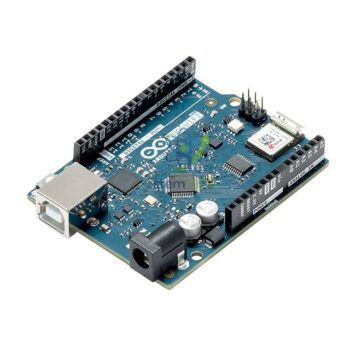
The Arduino Uno Rev3 Board is the usual first board, with an ATmega328P microcontroller, 14 digital pins and 6 analogue inputs. The Arduino Nano offers a compact, breadboard-friendly format, the Arduino Mega 2560 Board adds many more input and output connections, and the Arduino Uno Wi-Fi V2 brings Wi-Fi to the Uno layout. The Arduino Starter Kit and the Arduino Explore IoT Kit Rev2 package a board with parts and guided projects.
Modules and robots
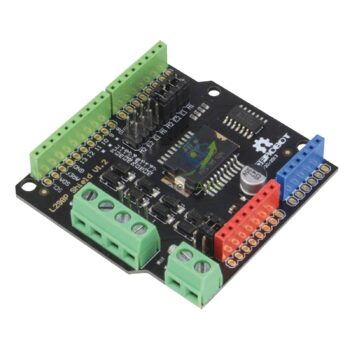
Add-on modules extend projects: the Ultrasonic Rangefinder for distance, the RFID Module with Card and Badge, a real-time clock module and motor and relay boards. For robotics there are the Alvik Arduino Robot, built around an Arduino Nano ESP32, and the tracked Robot Zumo V1.2 for Arduino, which takes an Uno-format board.
How to choose
- Beginners: an Uno board or the starter kit, because most beginner tutorials and example sketches are written for the Uno.
- Breadboard projects and small enclosures: the Nano.
- Projects with many sensors, displays or motors: the Mega 2560, which has more pins and memory.
- Internet-of-things lessons: the Uno Wi-Fi or the Explore IoT kit.
- Robotics clubs: Alvik or Zumo, which combine motors and sensors with a programmable controller.
Related Categories
- Stem Kits offers micro:bit boards, Grove sensor modules and robot arms for coding at other levels.
- Electrical and Electronics covers the analogue and digital electronics trainers behind these projects.
- General Lab Products lists Bee-Bot, Blue-Bot and Thymio robots for younger coders.
Frequently Asked Questions
Which Arduino board is easiest for school beginners?
The Arduino Uno is the usual starting board. It has clearly labelled header sockets for jumper wires, and most beginner lessons and example sketches are written for it, so students can follow along without changing pin numbers or wiring.
What is the difference between Arduino Uno, Nano and Mega?
The classic Uno and Nano use the same family of microcontroller and run the same sketches; the Nano is simply smaller and plugs into a breadboard. The Mega 2560 has many more digital and analogue pins and more memory for larger projects.
What language is used to program an Arduino?
Arduino boards are programmed in the Arduino language, which is based on C and C++, using the Arduino IDE on a computer. Students write a sketch, upload it over USB and the board then runs it on its own; block-based editors are also available for younger learners.
What can students build with an ultrasonic sensor?
An ultrasonic rangefinder sends out a sound pulse and times the echo to work out distance. Students use it for parking sensors, distance alarms, obstacle-avoiding robots and simple measuring tools.
Does an Arduino need a separate power supply?
Not for most lessons. A board can be powered from the computer’s USB port while it is programmed and tested. Projects with motors or many modules need an external supply or battery, because the current available from USB is limited.
Last updated: November 2026
Bestsellers in TLM Kits (Teaching Learning Material Kits)




Showing 1–12 of 39 results