













In Stock
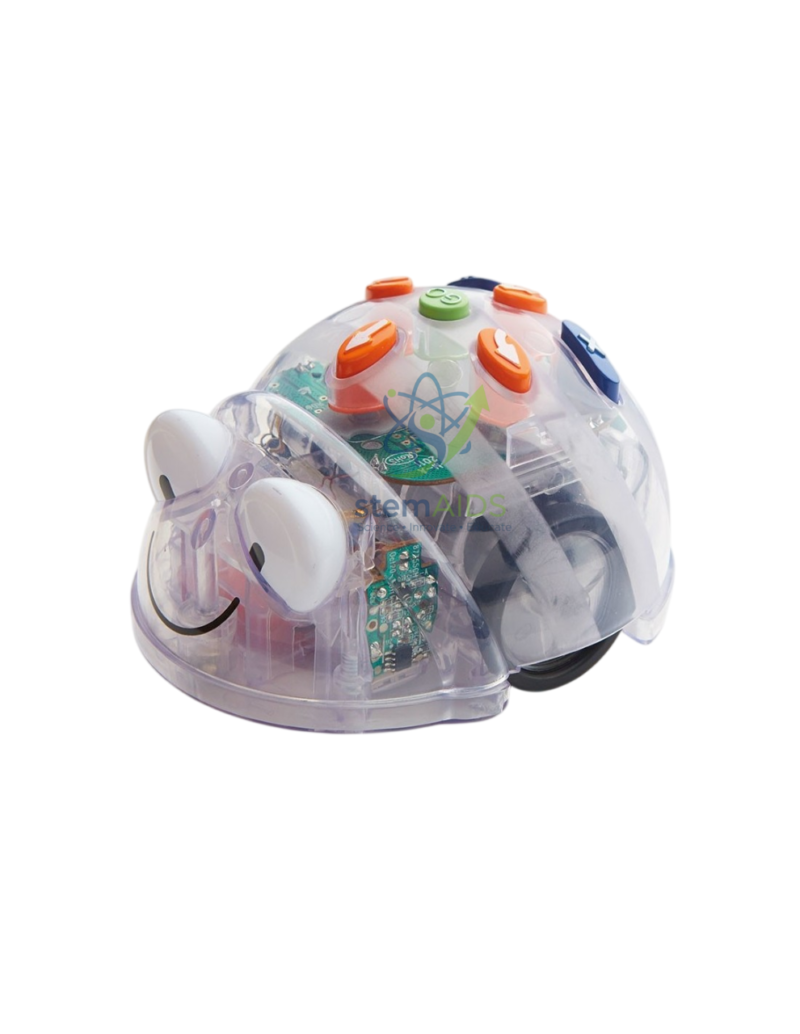
Bluebot robot
$28.88
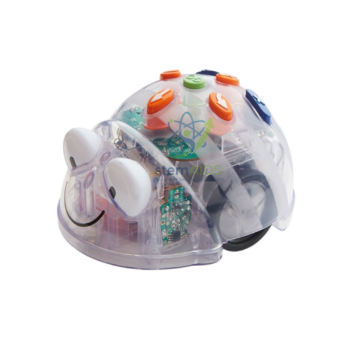
Quick Answer: The Bluebot robot is a programmable floor robot for young learners: children enter a sequence of moves with arrow buttons on its back, press go and watch it carry out the program. Robots sold under this name have a see-through shell and can also be programmed wirelessly from a tablet.
Programming Without a Screen
Floor robots let young children program before they can read code. The child plans a route across the floor or a mat, presses the arrow buttons in order (forward, back, turn left, turn right), then presses go. The robot moves in fixed-length steps and quarter turns, so a route becomes a sequence of instructions that either works or does not, and the child can see exactly where it went wrong.
That immediate feedback makes the Bluebot robot a practical introduction to algorithms and debugging in early-years and primary classrooms. Children predict the route, test it, spot the step that went astray and fix it. Grid mats matched to the step length turn the activity into maths as well: counting, estimating distance, directional language and simple coordinates.
Robots sold under the Bluebot name have a transparent shell that shows the motors, gears and circuit board, and they can be programmed over Bluetooth from a tablet or computer app as well as with the buttons. That offers a progression from button sequences to on-screen programs built from instruction cards or blocks. Confirm the step length, charging method and supported apps before buying mats or planning lessons.
Classroom Activities
- Route-planning games on grid mats: reach the shop, avoid the river
- Counting and measuring steps in maths lessons
- Practising directional language: left, right, forward, backward, quarter turn
- Debugging practice: find the wrong step in a partner’s program
- Storytelling mats on which the robot visits each scene in order
Specifications
| Item | Programmable floor robot for early-years and primary coding |
| Programming | Arrow buttons on the robot; Bluetooth app control on models of this name |
| Movement | Fixed-length steps and quarter turns |
| Body | Transparent shell showing the internal parts |
| Age focus | Early years and primary |
| Step length, charging and apps | Confirm at enquiry |
Care & Handling
- Clear the memory before each new program so old steps are not added to the new route.
- Use the robot on a smooth, flat floor or mat; carpet pile and slopes change the step length.
- Charge fully before lessons and store the robot away from direct sun and heaters.
- Keep the wheels free of hair and crumbs.
Why Choose LabEquip
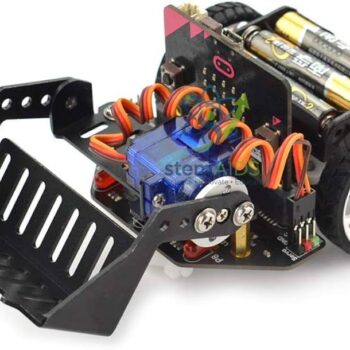
Early-years and primary teachers choose the Bluebot robot as a first step into computational thinking before screen-based coding. LabEquip lists it in the STEM kits range; older pupils can progress to a micro:bit vehicle such as the Bit car. Enquire about class sets on the contact page.
Frequently Asked Questions
What age is the Bluebot robot suitable for?
Floor robots of this type are designed for early-years and primary classes, from children learning directional language to older pupils writing longer sequences and using the app.
Why does the robot go wrong when a new program is entered?
The robot adds new steps to those already stored unless its memory is cleared. Press the clear button before entering each new route.
Why does the robot not stop on the right square?
The mat squares must match the robot’s step length, and the robot must start in the centre of a square facing the right way. Thick carpet or a slope also shortens the steps.
Does the robot need a tablet?
No. It can be programmed with its own arrow buttons. A Bluetooth app adds on-screen programming for older children but is optional.
How does the robot teach debugging?
When the robot ends up in the wrong place, children replay the route step by step to find the instruction that went astray, correct it and test again. That cycle is debugging.
Why is the shell transparent?
It lets children see the motors, gears and circuit board that make the robot move, which prompts questions about how technology works and links coding to engineering.
Last Updated: September 2026
You must be logged in to post a review.
Bestsellers


Sale
Sale
Sale


Reviews
There are no reviews yet.