









In Stock
VGA Video Screen Cable
₹545.00
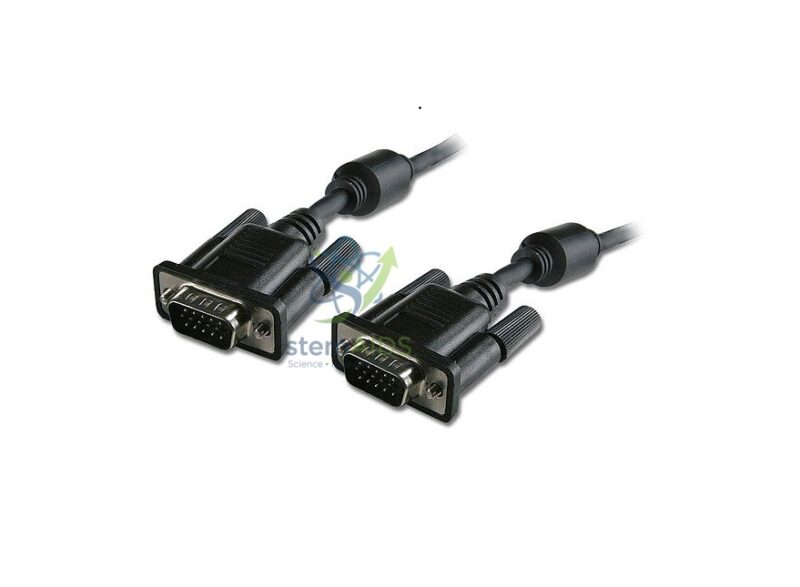
Quick Answer: A VGA video screen cable is an analogue display cable with a 15-pin D-shaped plug at each end, used to connect a computer’s VGA output to a projector or monitor. This VGA cable, pictured with thumbscrews and ferrite cores, carries the picture only, not sound.
Where VGA Still Fits
VGA carries the picture as analogue signals for red, green and blue plus timing, over a 15-pin connector in three rows, often called HD15 or DE-15. HDMI and DisplayPort have replaced it on new laptops, yet many classroom projectors, older monitors and some instruments still have VGA inputs or outputs, so a reliable cable remains a routine classroom need.
The photo shows both plugs with thumbscrews for locking to the socket and a cylindrical ferrite core near each end. Ferrite cores suppress high-frequency interference, which can otherwise appear as shimmer or faint lines in the picture. Because the signal is analogue, image quality falls as cable length increases; if the picture looks soft, try the display’s auto-adjust function before replacing the cable.
A VGA cable does not carry audio, so sound needs a separate lead. It also cannot connect an HDMI-only laptop directly: that needs an active HDMI-to-VGA converter. Projectors with a VGA computer input, such as the Epson EB-X49, take this cable directly.
Specifications
| Connector | 15-pin D-sub (VGA, HD15) at both ends (as pictured) |
| Locking | Thumbscrews on each plug |
| Interference suppression | Ferrite core near each end (as pictured) |
| Signal | Analogue video only; no audio |
| Length | Confirm at enquiry |
Common Connections
- Laptop or desktop VGA output to a classroom projector
- Computer to an older monitor in an ICT suite
- Instruments or data loggers with VGA display outputs to a larger screen
- Spare cable for exam halls and events where older projectors are still in use
Care & Handling
- Line the plug up with the socket’s D shape and push straight in; bent pins are the most common VGA fault.
- Tighten the thumbscrews finger-tight only.
- Coil the cable in loose loops, since tight bends near the plugs break the thin inner wires.
- Pull out by the plug body, never by the cable.
Why Choose LabEquip
Schools and colleges with older projectors and monitors keep VGA cables as spares, since one faulty lead can stop a lesson. LabEquip lists this cable in General Lab Products; state the lengths you need on the contact page.
Frequently Asked Questions
Does a VGA cable carry sound?
No. VGA carries only the picture. Use a separate 3.5 mm audio lead or the computer’s own speakers for sound.
Can I connect an HDMI laptop to a VGA projector with this cable?
Not directly. HDMI is digital and VGA is analogue, so you need an active HDMI-to-VGA converter between the laptop and this cable.
What are the cylinders near the plugs?
They are ferrite cores. They reduce electrical interference that can show as shimmer or lines in an analogue picture.
Why is my VGA picture blurred or shifted?
Analogue pictures need the display to lock onto the signal timing. Use the projector or monitor’s auto-adjust button, set the computer to the display’s native resolution, and check the pins for damage.
What if the whole picture has a colour cast, such as pink?
A missing colour usually means a bent or broken pin, or a plug not fully seated. Reseat both ends, tighten the thumbscrews and inspect the pins.
Is VGA still worth buying?
Where projectors and monitors have VGA inputs, yes: the cable is the simplest link. For new installations, HDMI or another digital connection gives a sharper picture and carries sound.
Last Updated: September 2026
You must be logged in to post a review.
Bestsellers




Reviews
There are no reviews yet.