



In Stock
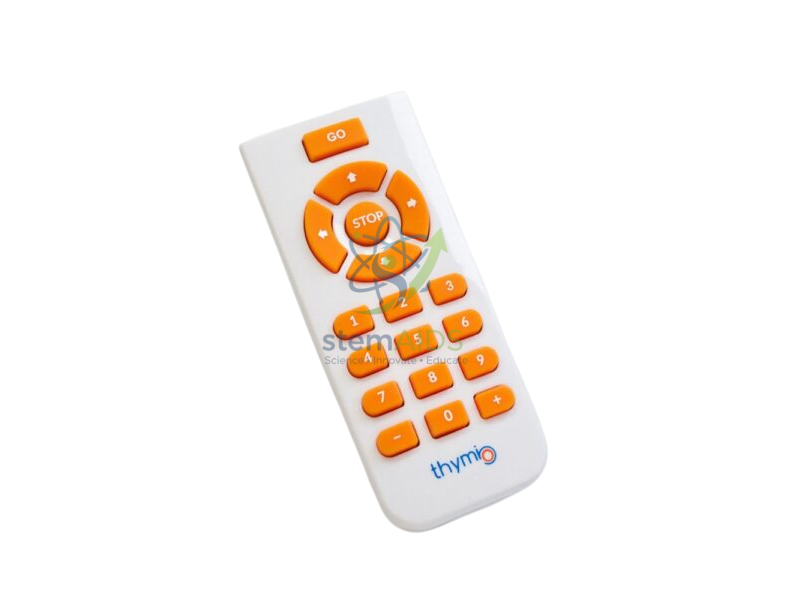
Thymio IR Remote Control
₹458.00
Quick Answer: Thymio IR Remote Control is a handheld infrared remote that sends button signals to the receiver built into the Thymio educational robot. The Thymio IR remote control lets pupils drive the robot directly or trigger actions in programs they have written.
Two Ways Pupils Use the Remote
Thymio has an infrared receiver in its body. In the obedient built-in behaviour, shown by a purple colour, the robot responds to the arrow buttons on its top and to the arrow keys of an infrared remote, so young pupils can drive it around a course and see cause and effect before any programming.
Once pupils start coding, the remote becomes an input device. In the Aseba text language, the robot raises an event whenever a remote code arrives, and the program can check which button was pressed: one button might switch the lights on, another start a line-following routine and a third play a sound. It is a simple introduction to how devices receive and decode signals.
The receiver reads the RC5 infrared protocol, a format also used by some television remotes. Infrared needs a reasonably clear path from remote to robot and works most reliably at short range indoors, while strong sunlight on the robot can swamp the signal.
Specifications
| Item | Infrared remote control for Thymio robots |
| Signal | Infrared, read by the robot’s built-in receiver (RC5 protocol) |
| Built-in use | Driving the robot in its obedient (purple) behaviour |
| Programming use | Button codes readable in the robot’s programs |
| Battery type | Confirm at enquiry |
Classroom Uses
- Driving Thymio around a track or obstacle course with the built-in obedient behaviour
- Teaching input, process and output: the button press is the input, the program decides, the motors respond
- Remote-controlled challenges, such as parking the robot inside a marked box
- Showing infrared signals and line of sight in a science lesson on light
Care of the Remote
- Take the batteries out if the remote will be unused over a long break, to prevent leakage.
- Point the remote towards the robot and stay within a few metres; if the robot ignores it, check the batteries first.
- Clean the button pad with a slightly damp cloth, never by soaking the remote.
Why Choose LabEquip
Remote controls are often added when a school first buys Thymio robots for younger classes, where driving the robot comes before coding it. LabEquip supplies the remote with the Robot Thymio II in its General Lab Products range, and quantities for each classroom can be sent through the contact page.
Frequently Asked Questions
Does the remote work with every Thymio behaviour?
The built-in behaviour that follows remote commands is the obedient one, shown by a purple colour. In the other built-in behaviours the robot follows its own sensor rules, and in pupils’ programs it responds only if the code tells it to.
Can a TV remote be used instead?
Thymio’s receiver reads the RC5 infrared protocol, so a television remote that sends RC5 codes may also work, but many modern remotes use other protocols. A dedicated remote avoids trial and error in class.
Why does the robot sometimes ignore the remote?
Infrared needs a clear path between remote and receiver. Weak batteries, distance, a hand covering the robot, or bright sunlight falling on it are the usual causes.
How do students use the remote in their own programs?
In the Aseba text language the robot raises an event when a remote code arrives, and the program can check which button was pressed and choose an action. This shows how a received signal becomes a decision in code.
Can one remote control several robots at once?
Every robot in the obedient behaviour that receives the signal will react, so in a crowded room one remote can move more than one robot. Spread groups apart so that each remote reaches only its own robot.
Is the infrared from the remote safe for children?
Yes. A remote control sends brief pulses of low-power infrared light, just outside the visible range, of the same kind used by household television remotes.
Last Updated: September 2026
You must be logged in to post a review.
Bestsellers





Reviews
There are no reviews yet.