

In Stock
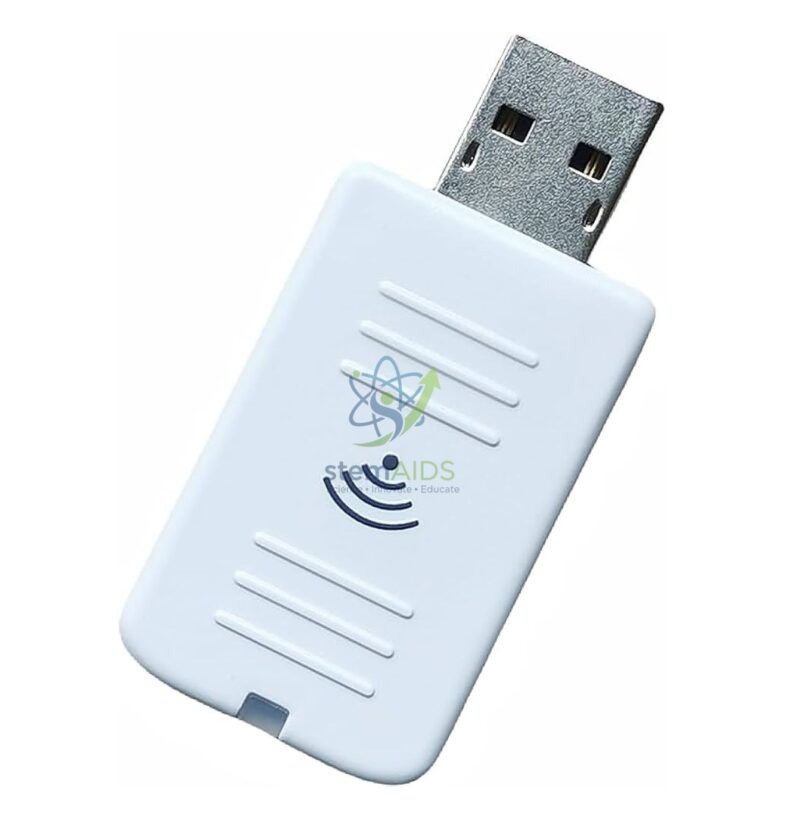
Wifi dongle Model ELPAP10 EPSON
₹1,650.00
The StemAids Wi-Fi Dongle Model ELPAP10 EPSON (Dongle wifi – Modèle ELPAP10 – EPSON) is a compact wireless LAN module designed for compatible Epson projectors. It allows users to connect supported projectors to a wireless LAN or peer-to-peer network, helping schools, colleges, smart classrooms, STEM labs, training centers, conference rooms, and institutions project content without long signal cables.
This wireless projector dongle is suitable for digital teaching, presentations, classroom demonstrations, training sessions, and AV installations where flexible wireless projection is required. It is especially useful for institutions using Epson projectors in smart classrooms, ICT rooms, science labs, seminar halls, and meeting spaces.
Product Overview
The Epson ELPAP10 Wi-Fi Dongle supplied by StemAids plugs directly into the USB Type-A wireless LAN port of compatible Epson projectors. Once installed and configured, it helps users project content wirelessly from compatible computers or devices using supported Epson software and network settings.
The module supports IEEE 802.11 b/g/n wireless standards and is designed for selected Epson projector models. It can also support wireless projector access, network monitoring, projector control, and audio transmission, depending on the projector model, software, and network configuration.
Key Features
- Wireless Projector Connectivity: Enables wireless LAN access for compatible Epson projectors.
- IEEE 802.11 b/g/n Support: Supports commonly used Wi-Fi communication standards.
- USB Type-A Interface: Plugs directly into the projector’s compatible USB Type-A wireless LAN port.
- PC and Mac Compatible: Supports wireless projection from compatible Windows and Mac systems.
- Peer-to-Peer Network Access: Allows supported projector connection without long display cables.
- Audio Transmission Support: Can transmit audio wirelessly when supported by the projector and software setup.
- Useful for Smart Classrooms: Suitable for digital teaching, training, and institutional presentation spaces.
- Compact and Portable: Small design makes it easy to install, remove, and store.
Product Specifications
| Product Name | Wi-Fi Dongle Model ELPAP10 EPSON |
|---|---|
| Supplied By | StemAids |
| Model | ELPAP10 |
| Product Type | Wireless LAN Module / Projector Wi-Fi Dongle |
| Compatible Brand | Selected Epson projector models |
| Wireless Standard | IEEE 802.11 b/g/n |
| Connector Type | USB Type-A |
| Network Support | Wireless LAN and peer-to-peer network access, depending on projector compatibility |
| Computer Compatibility | Compatible with supported PC and Mac systems |
| Audio Support | Wireless audio transmission is supported where compatible |
| Software Support | Epson network projection and projector management software, depending on setup |
| Installation | Plug-in installation through a compatible projector USB Type-A wireless LAN port |
| Application Area | Smart classrooms, ICT labs, STEM labs, training rooms, conference rooms, and AV installations |
| Recommended Users | Teachers, trainers, AV integrators, IT administrators, schools, colleges, and institutional buyers |
How to Use the Wi-Fi Dongle Model ELPAP10 EPSON
- Check Projector Compatibility: Confirm that your Epson projector model supports the ELPAP10 wireless LAN module before installation.
- Switch Off the Projector: Turn off the projector and allow it to cool if it was recently used.
- Locate the USB Wireless LAN Port: Find the compatible USB Type-A port or wireless LAN module slot on the projector.
- Insert the ELPAP10 Dongle: Plug the Wi-Fi dongle securely into the projector’s compatible port.
- Configure Network Settings: Open the projector menu and select the required wireless LAN or peer-to-peer connection settings.
- Connect the Computer: Use compatible Epson projection software or supported wireless display settings from a PC or Mac.
- Start Wireless Projection: Select the projector from the available device list and begin presenting content wirelessly.
- Remove Safely When Needed: Turn off the projector before removing the dongle to prevent damage.
Educational Benefits
The StemAids Wi-Fi Dongle Model ELPAP10 EPSON supports flexible digital teaching by reducing dependence on long HDMI or VGA cables. It helps teachers and trainers connect supported devices wirelessly, making classroom presentations faster, cleaner, and more convenient.
- Supports wireless teaching and smart classroom setup
- Reduces cable clutter around projector installations
- Useful for presentations, videos, diagrams, and digital lessons
- Helps teachers move freely during classroom instruction
- Supports STEM, ICT, science, and training room demonstrations
- Useful for institutions managing projector networks
Applications
- Smart classroom wireless projection
- School and college projector connectivity
- ICT lab digital teaching setup
- STEM lab presentation support
- Training center wireless display use
- Conference room AV projection
- Seminar hall projector networking
- Institutional projector management
- Wireless multimedia lesson delivery
Why Choose StemAids Wi-Fi Dongle Model ELPAP10 EPSON?
StemAids provides practical educational technology accessories for smart classrooms, STEM labs, ICT rooms, AV installations, and institutional learning spaces. The Wi-Fi Dongle Model ELPAP10 EPSON is suitable for users who need wireless connectivity for compatible Epson projectors.
It helps institutions create cleaner AV setups, reduce cable dependency, improve classroom flexibility, and support digital teaching. For schools, colleges, training centers, and meeting rooms using supported Epson projector models, this wireless LAN module is a useful projector accessory.
Safety and Installation Guidelines
- Use only with compatible Epson projector models.
- Do not force the dongle into an incompatible USB port.
- Switch off the projector before installing or removing the dongle.
- Keep the dongle away from moisture, dust, and excessive heat.
- Do not bend, drop, or apply pressure to the USB connector.
- Use correct projector network settings for secure wireless access.
- Keep projector firmware and compatible software updated where required.
- Installation should be handled by a teacher, IT staff member, or AV technician.
Google E-E-A-T Focus
This product content is written for school procurement teams, ICT administrators, AV integrators, STEM coordinators, and institutional buyers. It focuses on verified model use, wireless projector compatibility, installation safety, classroom application, and practical benefits to support Google E-E-A-T principles of experience, expertise, authoritativeness, and trustworthiness.
Frequently Asked Questions
1. What is the StemAids Wi-Fi Dongle Model ELPAP10 EPSON used for?
It is used to add wireless LAN connectivity to compatible Epson projectors for wireless projection, network access, and supported projector control functions.
2. Is ELPAP10 compatible with all Epson projectors?
No, it is compatible only with selected Epson projector models. Always check the projector compatibility list before purchase or installation.
3. What wireless standards does ELPAP10 support?
The ELPAP10 supports IEEE 802.11 b/g/n wireless standards.
4. What connector does this Wi-Fi dongle use?
It uses a USB Type-A connector designed to plug into the compatible projector wireless LAN port.
5. Can it be used with Windows and Mac computers?
Yes, it supports compatible PC and Mac systems when used with supported Epson projection software and network settings.
6. Does the ELPAP10 support audio transmission?
Yes, audio transmission is supported where the projector model, software, and wireless setup allow it.
7. Is it useful for smart classrooms?
Yes, it is useful for smart classrooms, ICT rooms, STEM labs, training rooms, and conference spaces where wireless projector connectivity is required.
8. Can I use this dongle instead of an HDMI cable?
Yes, in compatible setups it can reduce the need for long HDMI or VGA cables by enabling wireless projection. However, HDMI may still be preferred for some high-bandwidth or fixed AV installations.
9. Does it require software installation?
In many cases, compatible Epson projection or network software may be required on the computer or device for wireless projection and control.
10. Can it be used for projector management over a network?
Yes, when used with compatible Epson software and supported projector models, it can help with remote access, monitoring, and projector control over a wireless LAN.
SEO Keywords
Wi-Fi Dongle Model ELPAP10 EPSON, StemAids Wi-Fi dongle, Epson ELPAP10 wireless LAN module, Epson projector Wi-Fi adapter, wireless projector dongle, USB wireless LAN module for projector, Epson projector wireless adapter, smart classroom Wi-Fi dongle, projector wireless LAN adapter, Epson wireless projection module, projector Wi-Fi module for schools, ELPAP10 Epson projector accessory.
You must be logged in to post a review.
Bestsellers






Reviews
There are no reviews yet.