


In Stock
Production line Packaging
₹56,230.00
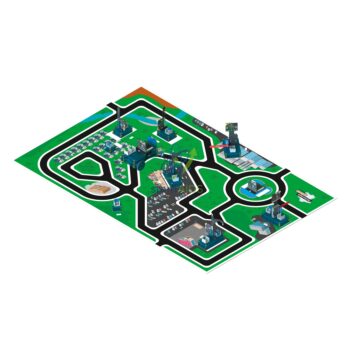
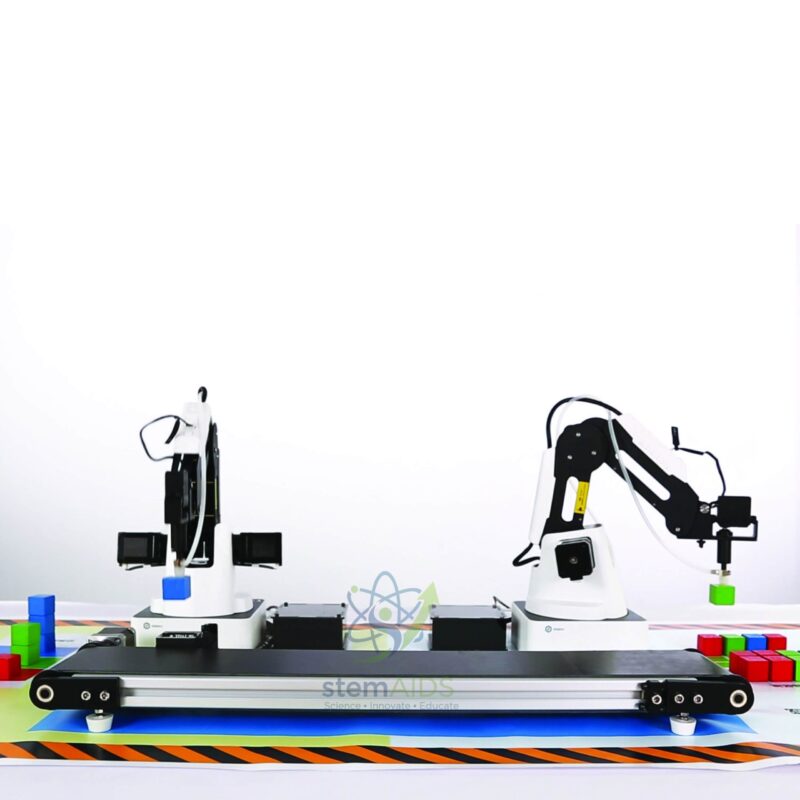
Quick Answer: Production line Packaging is a Dobot-based desktop automation training set that models the packaging stage of a factory line. Students program the sequence that moves items along, detects them and places them into packs, learning how sensors, conveyors and robot arms are coordinated.
Packaging as a Sequencing Problem
Packaging is a good stage of a production line to teach because every step depends on the one before it. An item has to arrive, be detected, be picked and be placed in the right slot of a box, and the box has to be counted as full before it moves on. The production line packaging set turns that chain into a program students write and debug for themselves.
Lessons usually begin with a fixed sequence and then add decisions: skip a slot when an item is rejected, stop the line when the output tray is full, or signal an operator when the input runs empty. Students meet the vocabulary of automation, such as cycle time, buffer, interlock and fault state, in a form they can see and change.
The exact contents of this pack, including the arm, conveyor, sensors, trays and software, are not listed on this page and should be confirmed before ordering so the lesson plan matches the hardware delivered.
Applications
- Writing a packing routine that fills a tray in a fixed pattern and counts completed packs
- Adding a reject path so items that fail a colour or presence check are set aside rather than packed
- Measuring cycle time and finding the slowest step in the sequence, the basis of line balancing
- Group projects in which one team programs the conveyor and another the robot, and both must agree on hand-over signals
Care & Handling
- Lay out the production line packaging set on a stable bench with room behind the robot’s reach, and keep the layout the same between sessions so taught positions stay valid.
- Keep packing items clean and uniform; damaged or odd-sized pieces cause pick failures that look like programming faults.
- Power the equipment down before rearranging the line, and route cables away from moving parts.
- Store sensors and small parts in labelled boxes so the set is complete for the next class.
Specifications
| Type | Production-line packaging simulation for automation training |
| Platform | Dobot desktop robotics |
| Skills taught | Sequencing, sensor interlocks, counting and fault handling |
| Course level | Upper secondary robotics, polytechnic and vocational automation courses |
| Components supplied | Confirm at enquiry |
Why Choose LabEquip
Vocational institutes and engineering colleges add a packaging simulation when they want students to program a whole process rather than a single machine. LabEquip lists this set with the Dobot Conveyor and other robotics items in its Stem Kits category. Use the contact page to confirm components and quantities for your lab.
Frequently Asked Questions
What does a packaging simulation teach that a single robot arm does not?
It teaches coordination. The robot has to wait for the conveyor, the conveyor has to wait for the sensor, and the count decides when a pack is complete. Students learn to design hand-over signals and to handle the case where one step fails.
What is cycle time and how can students measure it?
Cycle time is how long the line takes to complete one unit, here one packed item or one full pack. Students time several cycles, find which step takes longest and try to shorten it, which is how real lines are balanced.
What is an interlock in this context?
An interlock is a condition that must be true before an action is allowed, such as the robot only picking when a sensor confirms an item is present. Interlocks prevent crashes and empty picks and are central to safe automation.
Can the set be used to discuss quality control?
Yes. Adding a check before packing, for example by colour or presence, and sending failures to a reject area shows how inspection is built into a line and how reject rates are recorded.
Which components are included?
Packaging training packs combine a robot arm, conveyor, sensors and trays in different ways. Confirm the exact contents and the software when you enquire, so any hardware you already own can be reused.
How many students can work on one set?
Small teams of three to four work well: one student on the conveyor logic, one on robot moves and one on testing and recording results. Rotating roles lets everyone see the whole process.
Last Updated: September 2026
You must be logged in to post a review.
Bestsellers


Sale
Sale
Sale


Reviews
There are no reviews yet.