
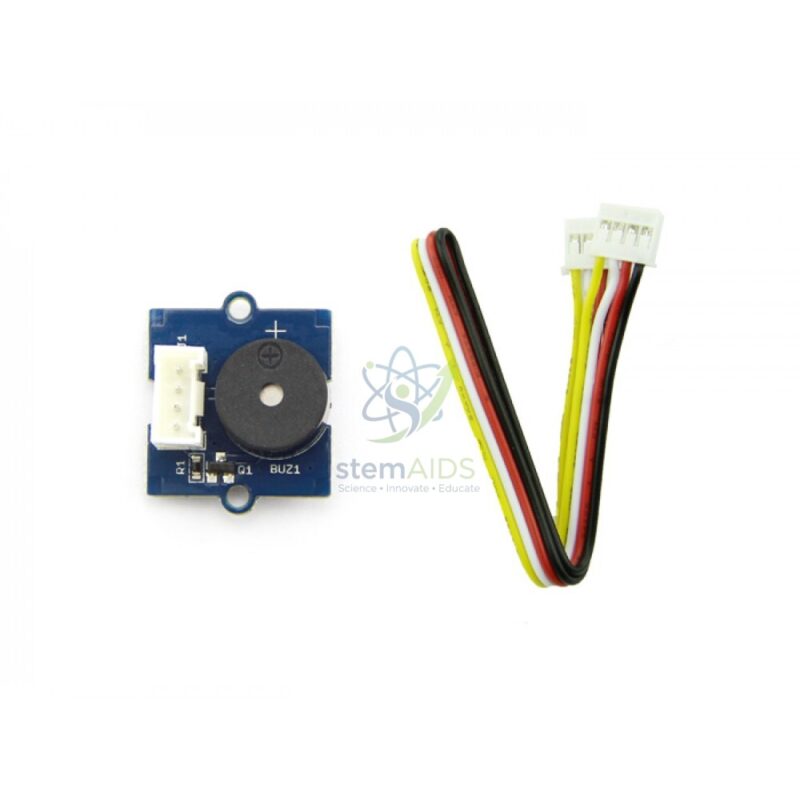
Quick Answer: The Module Buzzer Grove is a small sound output module with a buzzer on a Grove-connector board, so it plugs straight into a Grove port on a microcontroller shield. As a Grove buzzer module it gives coding projects an audible signal: beeps for alarms, timers and button feedback, plus simple tones.
How the Buzzer Makes Sound
Inside a buzzer, an electrical signal flexes a thin disc back and forth, and the moving disc pushes the air into sound waves. On the usual Grove buzzer design, setting the controller pin HIGH makes the buzzer sound and setting it LOW silences it, which makes it one of the easiest outputs to program after an LED. Sending a square wave instead lets the pitch follow the frequency of the signal.
Because a beep is noticed even when nobody is looking at the project, the buzzer is the standard way to add an alert. Students use it to signal that a timer has finished, that a sensor has crossed a threshold or that a button press has registered. Patterns of short and long beeps also make a neat introduction to encoding information, for example sending Morse code.
A buzzer is designed for alerts rather than music; for melodies with a cleaner tone, the Grove Amplifier Speaker is the better fit.
Applications
- Alarm outputs for motion, light or moisture projects
- Countdown and interval timers that beep at the end of each period
- Morse code senders and simple sound signals for coded messages
- Button-press feedback in games, quizzes and reaction tests with the Grove Push Button Module
Specifications
| Module | Buzzer sound output on a Grove board |
| Connection | Grove cable to a digital port on a Grove shield or Grove-ready board |
| Control | Pin HIGH or LOW for on and off; square-wave signal for tones |
| Typical controllers | Arduino-compatible boards with a Grove base shield, micro:bit with a Grove adapter, Grove-native boards |
| Buzzer type and supply voltage | Confirm at enquiry |
Care & Handling
- Plug the Grove cable into the buzzer module with the power off, and check it goes to a digital port rather than an analogue or I2C port.
- Do not poke the sound opening or cover it with tape; the disc behind it is thin.
- Keep classroom volume in mind: add a mute switch or limit alarm length in code so tests do not disturb other groups.
- Store modules in antistatic bags or a divided box, away from moisture.
Why Choose LabEquip
Teachers usually buy buzzers in class sets because nearly every sensor project ends up needing an alarm. LabEquip lists the Module Buzzer Grove in its Stem Kits range with other Grove sensors and outputs, and class quantities can be arranged through LabEquip’s enquiry page.
Frequently Asked Questions
What is the difference between a buzzer and a speaker?
A buzzer is built to give a loud, simple beep with minimal circuitry, which suits alarms and alerts. A speaker reproduces a wider range of frequencies more faithfully and usually needs an amplifier, which suits melodies and sound effects.
How do I make the buzzer play different notes?
Send it a square wave at the frequency of the note, for example with the tone function in Arduino code. Changing the frequency changes the pitch. A buzzer sounds harsher than a speaker, but simple tunes are recognisable.
Why does my buzzer make no sound?
Check that the cable is in the digital port named in the code, that the pin is set as an output and driven HIGH, and that the shield’s power switch or voltage setting is correct. A loose Grove plug is a common cause.
Can the buzzer be too loud for a classroom?
Buzzers are designed to be noticed, so a room full of them can be distracting. Keep beeps short in code, add a button or switch to mute during testing and schedule alarm demonstrations.
Which controllers can drive the module?
Any board with a Grove digital port, or an Arduino-compatible board fitted with a Grove base shield. Other boards such as the micro:bit can be used through a Grove adapter board.
How can the buzzer be used to teach sound?
Students can change the tone frequency in code and listen to the pitch rise, find the highest frequency they can hear, or compare beep patterns. It links coding with the physics of vibration and frequency.
Last Updated: September 2026






Reviews
There are no reviews yet.