





In Stock
Mouse Pad
₹120.00
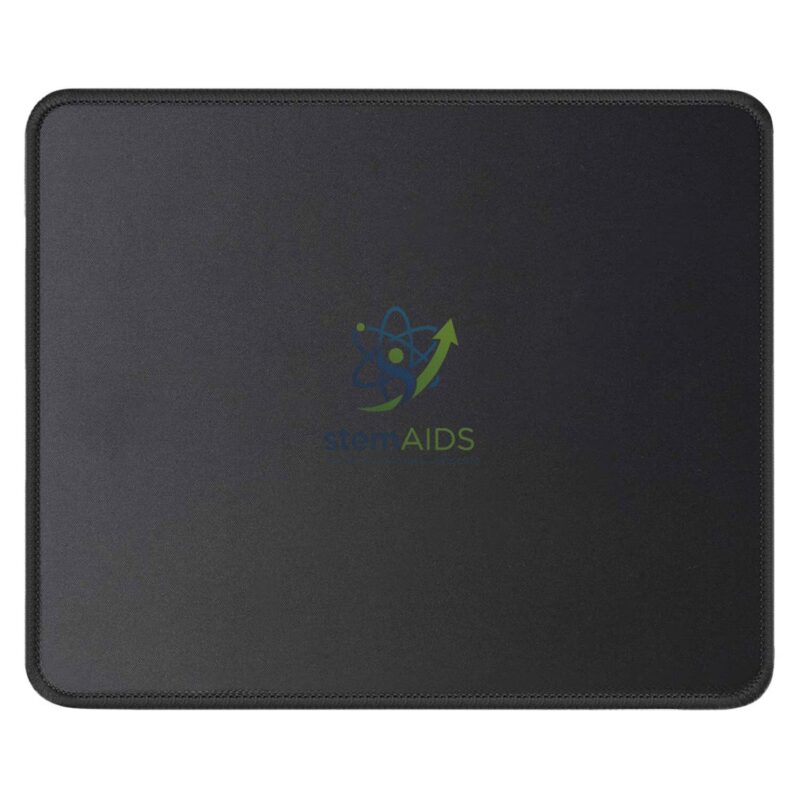
Quick Answer: The Mouse Pad is a flat, square pad placed under a computer mouse, shown in black in the listing photo. It gives an optical mouse an even, textured surface to track on and protects the desk from wear in computer labs, ICT rooms and offices.
Why an Optical Mouse Tracks Better on a Pad
An optical mouse works by lighting the surface beneath it and comparing thousands of tiny images every second to detect movement. Glossy, glass or very uniform white desks give the sensor too little texture, so the cursor jumps or stops. A pad provides a consistent matt texture that the sensor reads reliably.
In a computer lab, pads also mark where each mouse belongs, stop it sliding across the desk and reduce scratching of shared furniture. The listing photo shows a plain black pad with rounded corners; its material, thickness and size are not stated.
Pads pair with the USB optical mouse listed alongside, and a matching set for every workstation keeps a lab consistent.
Specifications
| Item | Mouse pad |
| Colour | Black (per listing photo) |
| Shape | Square with rounded corners |
| Suits | Optical and laser mice |
| Size, thickness and material | Confirm at enquiry |
Applications
- Computer labs and ICT rooms with rows of workstations
- Glossy or glass desks where an optical mouse tracks poorly
- Staff and office desks
- Science labs where a data-logging PC shares a bench
Care & Handling
- Wipe the pad with a slightly damp cloth and mild soap, then let it dry fully before use.
- Keep drinks off the pad; spilled liquid soaks into fabric-topped pads and leaves sticky patches.
- Replace pads whose surface has worn smooth or curled, as they no longer give even tracking.
- Store spare pads flat rather than rolled, so they lie flat on the desk.
Why Choose LabEquip
Pads like this are ordered in lab sets by schools equipping or refreshing computer rooms, usually with mice and other accessories. LabEquip lists this pad in General Lab Products; include the number of workstations when you use the contact page.
Frequently Asked Questions
Does an optical mouse need a mouse pad?
Not always, but it helps. Optical sensors track poorly on glass, glossy and some plain white surfaces. A pad gives a consistent texture, so the cursor moves smoothly and does not jump.
Is this pad suitable for a laser mouse?
Yes. Laser mice also read the surface texture, and a plain matt pad suits both laser and optical sensors.
How should the pad be cleaned?
Wipe it with a slightly damp cloth and a little mild soap, rinse the cloth and wipe again, then let it dry flat. Avoid soaking pads with rubber bases, which can peel if left wet.
When should mouse pads in a lab be replaced?
Replace them when the surface becomes shiny, frayed or curled, or when the mouse no longer tracks smoothly. Regular cleaning extends their useful life.
Why does the cursor still jump on the pad?
Check the mouse’s sensor window for dust or hair and clean it gently. If the problem continues, try the mouse on another pad to see whether the pad or the mouse is at fault.
Does a pad help protect desks?
Yes. A pad takes the wear from constant mouse movement and wrist contact, which otherwise dulls the finish of laminate desks in shared labs.
Last Updated: September 2026
You must be logged in to post a review.
Bestsellers





Reviews
There are no reviews yet.