
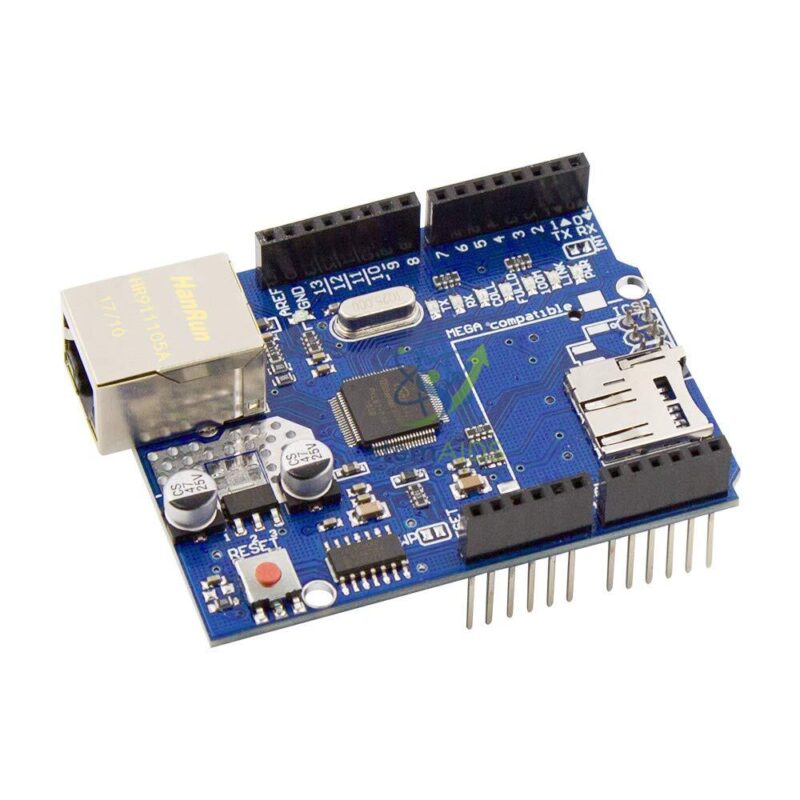
Quick Answer: The Ethernet Shield for Arduino is a wired networking expansion board that stacks directly onto an Arduino Uno, Mega, or compatible board, adding an RJ45 Ethernet port so classroom and lab projects can connect to a network over a standard cable and run TCP/UDP applications such as web servers, IoT nodes, and data loggers.
Description
This shield plugs onto the standard Arduino header pins and communicates with the host board over the SPI interface, giving students and instructors a reliable, wired alternative to Wi-Fi for networking experiments. It is commonly used in STEM labs, robotics labs, and engineering project groups to teach networking fundamentals, client-server communication, and Internet of Things (IoT) concepts using the Arduino Ethernet library. Because it uses a physical cable connection rather than a wireless link, it is well suited to classroom demonstrations where a stable, predictable connection is needed, and to projects such as simple web servers, remote sensor monitoring, automation control, and data logging.
Specifications
| Product Name | Ethernet Shield for Arduino |
| Brand | LabEquip |
| Product Type | Arduino-compatible wired networking expansion shield |
| Compatible Platform | Arduino Uno, Arduino Mega, and other compatible Arduino boards |
| Ethernet Controller | W5500 / Arduino Ethernet Shield compatible controller architecture |
| Network Protocol Support | TCP and UDP |
| Network Interface | RJ45 Ethernet connector |
| Communication Interface | SPI interface |
| Operating Voltage | 5V, supplied from the Arduino board |
| Socket Support | Multiple simultaneous socket connections, depending on controller and library configuration |
| Library Support | Arduino Ethernet library |
| Optional Storage | MicroSD card slot on selected variants, for file storage and data logging |
| Typical Uses | Web server, web client, data logger, IoT device, sensor monitoring, and automation control |
| Recommended Users | Students, teachers, trainers, makers, STEM labs, robotics labs, and engineering project groups |
Compatibility & Safety Note
- Designed for the standard Arduino shield header footprint; check pin alignment against your specific Arduino Uno/Mega variant before seating the shield.
- Requires an SPI-capable Arduino board and the Arduino Ethernet library to communicate with the controller.
- Always power down the Arduino before attaching or removing the shield to avoid damaging the header pins or the onboard controller.
- Use a standard Ethernet (RJ45) patch cable only; do not connect the port to telephone lines or any non-Ethernet wiring.
- Handle the board by its edges and store it in an anti-static bag when not in use to reduce the risk of static discharge to onboard components.
- Keep the shield away from moisture and liquids, and avoid stacking it with other shields unless pin compatibility has been confirmed.
Why Choose LabEquip
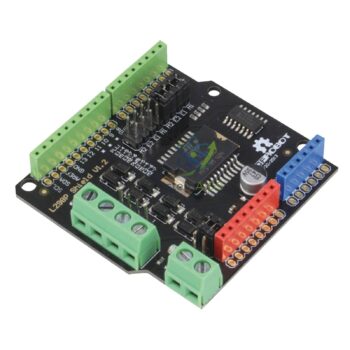
LabEquip supplies Arduino-based teaching and learning material kits designed for classroom and lab use, with a curated range of compatible shields and modules so schools and training centres can build out complete experiment setups from a single, reliable source. This Ethernet Shield pairs naturally with other boards in our TLM Kits range, such as the Prototyping Shield for building custom circuits alongside your networking project, the Real-Time Clock Module for timestamping logged data, the Serial to Parallel Conversion module for expanding output pins, and the Shield Motor 2 x 2A DRI0009 for adding motor control to the same project.
Frequently Asked Questions
Which Arduino boards work with this Ethernet Shield?
It is designed for the Arduino Uno, Arduino Mega, and other Arduino boards that use the standard shield header pinout and support SPI communication.
Does it support both TCP and UDP connections?
Yes, the shield supports both TCP and UDP protocols, so it can be used for web servers, web clients, and UDP-based data exchange.
Do I need a special library to use this shield?
Yes, it works with the Arduino Ethernet library, which handles the SPI communication with the Ethernet controller.
Does every variant include a microSD card slot?
A microSD card slot for file storage and data logging is available on selected variants of this shield; check the physical board for a card slot before relying on this feature.
What operating voltage does the shield need?
It runs on 5V, which is supplied directly from the host Arduino board, so no separate power supply is required for the shield itself.
What kind of classroom projects is this shield suited for?
It is commonly used for teaching networking basics, building simple web servers, remote sensor monitoring, data logging, and introductory IoT projects.
Last Updated: September 2026





Reviews
There are no reviews yet.