
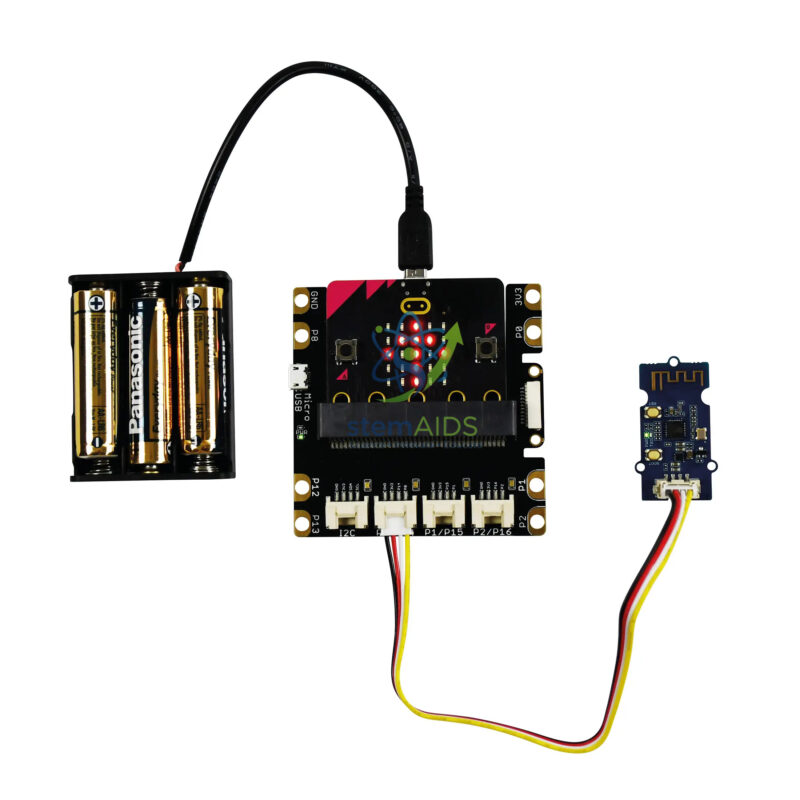
Quick Answer: The Micro:bit Wi-Fi kit without micro:bit interface adds a Wi-Fi module to a micro:bit project so it can join a wireless network and send or receive data, the basis of Internet of Things lessons. The interface board that connects the module to the micro:bit is not included.
Why the micro:bit Needs a Wi-Fi Module
The micro:bit has a built-in radio and Bluetooth, but neither joins a Wi-Fi network or reaches the internet by itself. A Wi-Fi module gives it that ability. In the usual arrangement the micro:bit sends short commands to the module over a serial link, and the module handles joining the network, requesting web pages and sending data to online services. Students learn that a connected device is really two systems: a controller that decides what to do and a network module that handles communication.
Classic IoT lessons follow once the kit is working: upload a temperature reading every minute to an online dashboard, fetch information from a web service and show it on the LED display, or switch an output from a web page. These projects raise the right questions about data, such as how often to send readings, what happens when the network drops and who is able to see the results.
Wi-Fi modules used in classroom kits usually work on the 2.4 GHz band and need a network that lets new devices join with a password. Many school networks block this, so check with the IT team and plan a dedicated access point for lessons. The kit is sold without the micro:bit interface; the exact module, cables and MakeCode extension should be confirmed.
IoT Lessons
- Uploading sensor readings to an online dashboard and graphing them
- Showing live information from a web service on the micro:bit display
- Switching an LED or relay remotely from a web page
- Discussing data privacy, passwords and network security for connected devices
Specifications
| Item | Wi-Fi communication kit for micro:bit IoT projects |
| Link to the micro:bit | Serial commands from the micro:bit to the Wi-Fi module (usual arrangement) |
| Network | Joins a Wi-Fi network, commonly on the 2.4 GHz band |
| Interface board | Not included; uses an existing micro:bit interface |
| Programming | MakeCode blocks with an IoT extension, or Python |
| Module type and cables supplied | Confirm at enquiry |
Care & Handling
- Keep Wi-Fi passwords out of shared code files and use a network set up for class projects.
- Power the module as its documentation recommends; Wi-Fi transmission draws current in bursts that weak batteries cannot supply.
- Disconnect power before plugging the module in or out.
- Label each kit with its device name so groups do not mix up modules.
Why Choose LabEquip
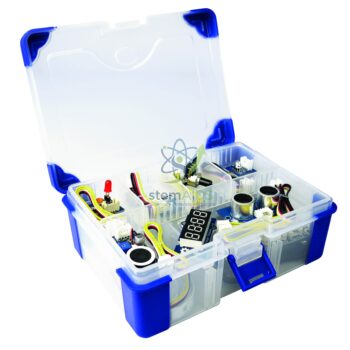
The Wi-Fi kit is bought by schools moving from single-device coding to connected projects and IoT units. LabEquip lists it in the STEM kits range, and a sensor project such as the Micro:bit Greenhouse makes a good source of data to publish online. Send your requirements via the contact page.
Frequently Asked Questions
Can a micro:bit connect to Wi-Fi without this kit?
No. The micro:bit has a radio for talking to other micro:bits and Bluetooth for phones and tablets, but no Wi-Fi. A Wi-Fi module is needed to join a wireless network or reach the internet.
Why won’t the module join the school network?
School networks often need a login page or certificate, block unknown devices, or use settings these modules do not support. Use a simple password-protected network set up for projects, such as a dedicated access point.
What is the Internet of Things?
It describes everyday objects that collect data or accept commands over a network, such as smart meters, weather stations and connected lights. With this kit a micro:bit project becomes one of those objects.
How often should readings be uploaded?
Only as often as the data changes meaningfully. Room temperature once a minute is plenty, and sending more often wastes power and can exceed the limits of free online dashboards.
What does without micro:bit interface mean?
The board that connects the micro:bit to the Wi-Fi module is not included. You use an interface or expansion board you already have, or add one to the order.
Are Wi-Fi projects safe for students?
They are when run with sensible rules: use a class network, never publish personal data, keep passwords private and check what a dashboard makes public. Those rules are part of what the kit teaches.
Last Updated: September 2026






Reviews
There are no reviews yet.