
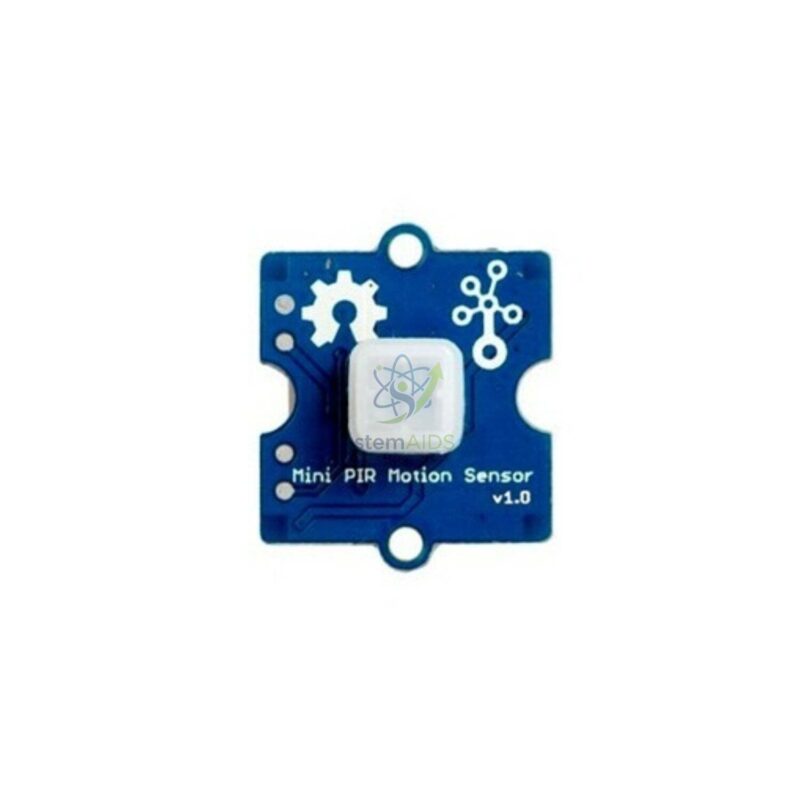
Quick Answer: The Grove Mini PIR Sensor Module is a small passive infrared motion detector on a Grove board. It senses the change in infrared radiation when a person or animal moves in front of it and switches its digital output, so a microcontroller can react with a light, a buzzer or a message.
Passive Infrared Sensing Explained
Warm bodies give off infrared radiation. A PIR sensor contains a pyroelectric element divided into sections behind a faceted plastic lens. When a person walks across the field of view, the sections receive different amounts of infrared in turn, and the sensor responds to that change rather than to warmth alone. Someone standing perfectly still can therefore stop being detected, which surprises students the first time they test it.
Passive means the module sends nothing out; it only receives. That separates it from ultrasonic or infrared distance sensors, which emit a pulse and time its return. The PIR gives a simple digital signal, high when motion is seen and low otherwise, so the code is short: check the pin, then act. As the name says, this is a mini version, packing the sensor into a smaller module for compact models.
Detection range, viewing angle and any sensitivity adjustment are not given in the title, so confirm them before planning a project that depends on coverage of a whole room.
Applications
- Intruder alarm that sounds a buzzer and records the time of each trigger
- Automatic corridor light model that switches an LED on when someone passes
- Visitor counter at a classroom door, with a display showing the running total
- Energy-saving project that turns off a screen when nobody has moved for several minutes
Care & Handling
- Keep the white lens clean and unscratched; wipe it gently with a dry cloth.
- After power-up, allow the sensor a short settling period before testing, since PIR sensors commonly give false triggers while stabilising.
- Do not aim the sensor at heaters, sunny windows or air vents, which cause false triggers.
Specifications
| Item | Passive infrared (PIR) motion sensor on a Grove module |
| Detects | Movement of warm bodies across the field of view |
| Output | Digital signal that changes when motion is detected |
| Connection | Grove 4-pin connector to a shield or base board |
| Format | Mini module for compact projects, as named |
| Range, angle and adjustment | Confirm at enquiry |
Why Choose LabEquip
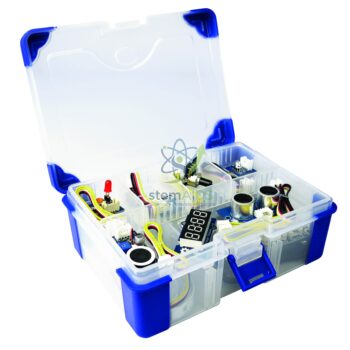
Motion sensing is a favourite first project for coding clubs, so schools often buy PIR modules together with a buzzer or LED output. LabEquip lists this module in its STEM kits range, and it combines well with the Grove OLED display for a visitor counter. Ask about quantities via the contact page.
Frequently Asked Questions
Why does the sensor stop detecting me when I stand still?
A PIR sensor responds to changes in infrared, not to a constant heat source. Once you stop moving, the pattern across its sensing element stays the same and the output returns to low. Small movements such as waving an arm will trigger it again.
Can the PIR sensor see through glass?
Ordinary window glass blocks most of the long-wave infrared that people emit, so a PIR sensor behind a window generally will not detect someone outside. Place the sensor in open air, facing the area to be watched.
What is the difference between a PIR sensor and an ultrasonic sensor?
An ultrasonic sensor sends out sound pulses and measures the distance to any object, warm or not. A PIR sensor sends nothing and only reports that a warm body has moved. Use PIR for presence alarms and ultrasonic for measuring how far away something is.
Why do I get false triggers?
Heaters, sunlight moving across a wall, air from vents and a sensor that has only just been switched on can all cause false readings. Point the module away from heat sources, let it settle after power-up, and ignore very short triggers in your code.
Does the output stay high for a fixed time?
Many PIR modules hold the output high for a short period after each detection, and some restart that period if motion continues. Look up the exact behaviour of this mini module in its documentation; the program can add its own timing on top.
Which boards can I connect it to?
It connects through a Grove cable to any board with a Grove digital port, for example an Arduino-type board with a base shield or a micro:bit with a Grove shield. In code it is read as a simple digital input.
Last Updated: September 2026







Reviews
There are no reviews yet.