











In Stock
Visualizer Model M15 W AVER
₹2,350.00
Quick Answer: The Visualizer Model M15 W AVER, usually written AVer M15W, is a document camera from AVer with a jointed mechanical arm. The W marks the wireless version of AVer’s M15, so the camera can send its live image without a video cable tying it to the computer or display.
Working Away from the Teacher’s Desk
A cabled visualizer stays where its cable reaches, usually on the teacher’s desk. A wireless one can be carried to a group table, set down over a student’s work and shown on the main screen from there, and that changes how it is used: less presenting from the front, more sharing from around the room.
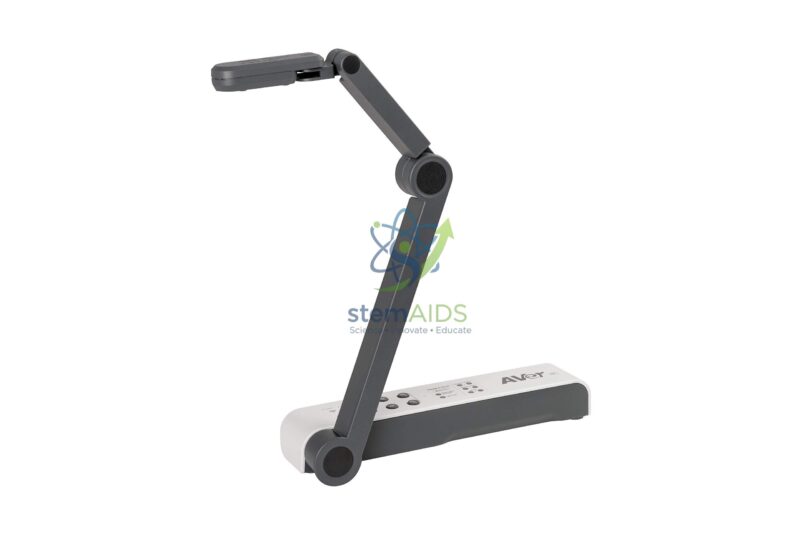
The listing photo shows the M15W in dark grey, with a folding arm of several segments and a camera head on an elbow joint, the layout AVer uses for its M-series mechanical-arm models. The arm folds flat for carrying and opens high enough to cover a page.
Wireless operation depends on the school network and on AVer’s software, so the connection modes, resolution and box contents for this unit should be checked against AVer’s current data sheet before it is rolled out across classrooms.
Specifications
| Brand and model | AVer M15W |
| Arm | Jointed mechanical arm that folds flat (per listing photo) |
| Finish | Dark grey |
| Connection | Wireless version of the M15; wired options per data sheet |
| Network requirements and resolution | Confirm at enquiry |
Applications
- Sharing a group’s work from their own table without moving it to the front
- Hybrid lessons where the camera goes to wherever the activity is happening
- Rooms with ceiling projectors and no convenient cable route from the desk
- Moving between a lab bench and the teacher’s desk during a practical
Care & Handling
- Carry the visualizer folded, holding the base, and set it on a flat, stable surface before opening the arm.
- Record the network settings and any passwords with the IT team, so a reset does not leave the camera unusable in lessons.
- Power the unit as the manual directs and keep its power supply labelled, since similar adapters are easily swapped between devices.
- Wipe the lens gently and often; a camera that is carried around the room collects more fingerprints.
Why Choose LabEquip
The M15W is chosen by schools that want the visualizer to move with the lesson rather than stay at the front. LabEquip lists it in General Lab Products with AVer’s USB models such as the U70+; discuss your network set-up through the contact page before ordering.
Frequently Asked Questions
What does the W in M15W stand for?
It marks the wireless version of AVer’s M15 visualizer. The camera can send its image over a network instead of a video cable, which lets it be used away from the teacher’s desk.
Does a wireless visualizer need the school Wi-Fi?
Wireless visualizers connect through a network or a direct link, depending on the model’s modes. Check with your IT team that the network allows the connection before the camera is first used in a lesson.
Is there a delay on the wireless image?
Wireless video usually runs slightly behind a cable. For pages and objects this is rarely noticeable; during fast writing a small lag can appear, and a wired connection gives the most immediate response.
What does mechanical arm mean on a visualizer?
It means a rigid arm with hinged joints, as opposed to a flexible gooseneck. The joints hold their position firmly and fold flat for carrying, while a gooseneck bends freely but may drift under a heavier head.
Can the M15W be used with a cable too?
Wireless visualizers often also offer a wired connection for times when the network is unavailable. Check the data sheet for this model’s wired options and keep the right cable in the room as a fallback.
How should the visualizer be stored between lessons?
Fold the arm flat, store it in a cupboard or case away from heat and keep its power supply with it. Avoid stacking books on the folded arm, which strains the joints.
Last Updated: September 2026
You must be logged in to post a review.
Bestsellers




Reviews
There are no reviews yet.