
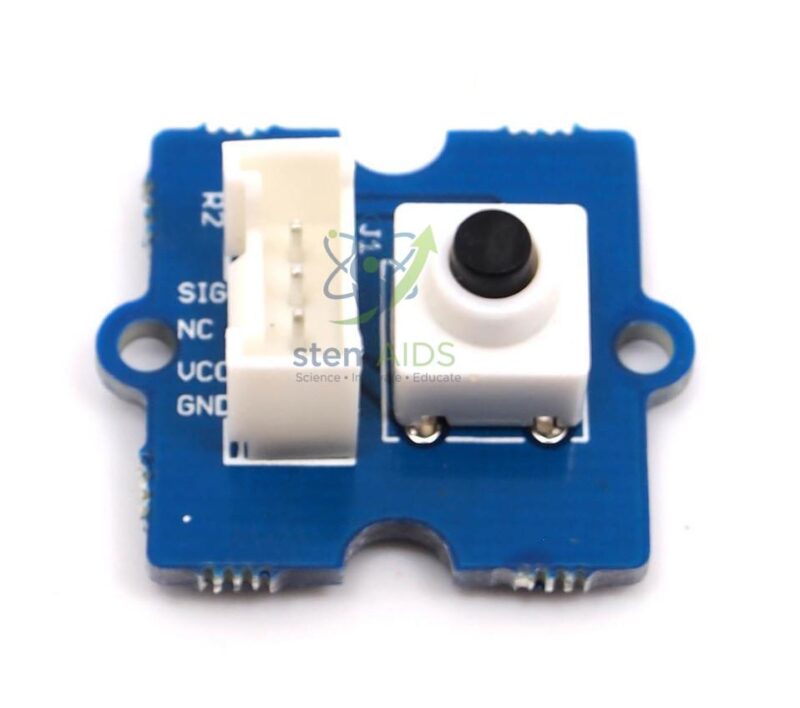
Quick Answer: The Grove Push Button Module is a momentary push-button switch on a Grove board: it sends a digital signal while pressed and returns to its resting state when released. It is the standard first input in coding lessons, used for start buttons, counters and game controls.
Catching the Moment of a Press
The simplest program reads the Grove Push Button Module and lights an LED while it is held. That works, but most real uses need something different: an action that happens once per press. Students soon find that a loop running thousands of times a second sees one press as hundreds of HIGH readings, so they must detect the change from not pressed to pressed, called a rising edge, and act only then.
Mechanical contacts also bounce, making and breaking several times in the first few milliseconds of a press. A counter that jumps by three instead of one is the classic symptom. Adding a short delay after a detected press, or checking that the reading is stable, is called debouncing, and it is a genuine engineering fix students can write in a few lines.
Once edge detection works, the button becomes a flexible controller: one press to start, another to stop, a long press to reset. Pairing it with the Module Buzzer Grove gives an instant quiz buzzer.
Specifications
| Module | Momentary push button on a Grove board |
| Output | Digital signal while pressed; returns when released |
| Connection | Grove digital port |
| Input type | Momentary (event), not latching |
| Pressed logic level and supply voltage | Confirm at enquiry |
Applications
- Start, stop and reset controls for timers and experiments
- Press counters, from tally counters to step counters
- Reaction-time and quiz games with a buzzer or LED
- Pedestrian-crossing request buttons in traffic-light models
- Menu navigation on displays, for example cycling through readings
Care & Handling
- Press the button of the Grove Push Button Module with fingers, not pens or tools, which can crack the key cap.
- Fix the module to the project so the Grove cable is not strained each time the button is pressed.
- Keep food and drink away; sticky residue makes the button stick or fail to return.
- Store it with the button facing up so nothing presses on it in the box.
Why Choose LabEquip
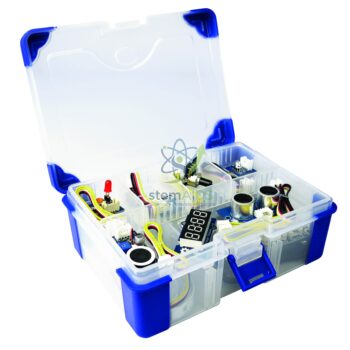
Every beginner electronics lesson needs at least one input, so buttons are bought in class sets alongside LEDs. LabEquip lists the push button with the latching Grove 2-position switch in its Stem Kits range; use the contact page for quantities.
Frequently Asked Questions
Why does one press count several times?
Two reasons: the loop reads the button many times while it is held, and the contacts bounce when pressed. Detect only the change from released to pressed, and ignore further changes for a short time after each press.
What is a rising edge?
It is the moment an input changes from LOW to HIGH. Acting on the edge rather than the level means the program responds once per press, however long the button is held.
Can the button toggle something on and off?
Yes. Keep a variable that stores the current state and flip it each time a press is detected. The button then behaves like a latching switch in software.
How can students measure reaction time with it?
Light an LED after a random delay, note the time from the controller’s millisecond timer, and note it again when the button is pressed. The difference is the reaction time.
How do I detect a long press?
Record the time when the press starts and check how long the button stays down. If it passes a set duration, trigger the long-press action instead of the short one.
Which port should it use?
Any Grove digital port, since the button gives only two states. Make sure the pin number in the code matches the port the cable is plugged into.
Last Updated: September 2026






Reviews
There are no reviews yet.