








In Stock
Kit Grove Micro-bit
₹1,065.00
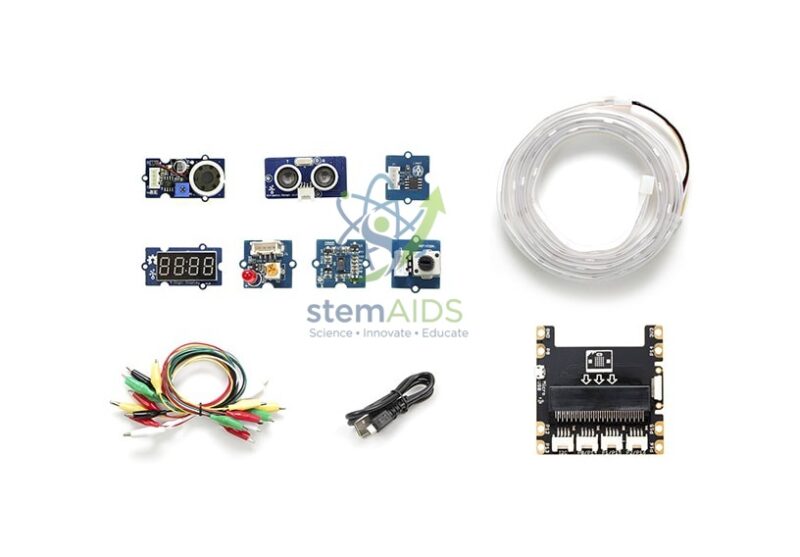
Quick Answer: The Kit Grove Micro-bit is a set of Grove plug-in modules for the BBC micro:bit, used to add external sensors and outputs to micro:bit projects. Modules connect with keyed Grove cables, so students build working inputs and outputs without breadboards or soldering.
Learning Outcomes of a Grove micro:bit Kit
Once students have used the micro:bit’s own LED grid, buttons and sensors, the next step is connecting external hardware. A Grove kit makes that step with plug-in modules rather than loose components, so lesson time goes into planning a system, writing code and testing instead of fault-finding wiring. Typical outcomes are reading analog and digital sensors, driving outputs and understanding input-process-output design.
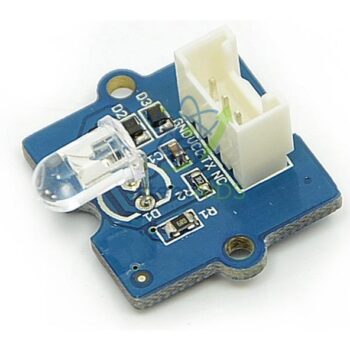
Kits sold under this name commonly pair a Grove expansion board for the micro:bit with a selection of modules such as a rotary knob, light and sound sensors, a buzzer, LEDs and a display, often with project cards. The exact contents of this kit, whether a micro:bit board is included and the number of modules are not stated in the title, so request the contents list before ordering class sets.
The kit suits a unit of work in which each group completes a series of builds: a night light, a noise alarm, a thermometer display and finally a project of their own design. For schools that already own boards and prefer a case that keeps everything organised, the Grove micro:bit suitcase is an alternative.
Typical Projects
- Night light that switches on as the room gets dark
- Noise monitor that warns when a classroom gets too loud
- Thermometer with a numeric display and a high-temperature alarm
- Student-designed project answering a brief such as saving energy at school
Specifications
| Item | Grove module kit for the BBC micro:bit |
| Connection | Grove 4-pin cables through a micro:bit expansion board |
| Programming | MakeCode Grove extension, JavaScript or Python |
| Learning focus | Inputs, outputs, sensor data and system design |
| Typical level | Upper primary to secondary coding and design |
| Contents and inclusion of a micro:bit | Confirm at enquiry |
Care & Handling
- Keep each group’s modules together in a labelled box or tray.
- Unplug cables by the plug, not by pulling the wires.
- Check modules at the end of each lesson and replace missing cables promptly.
Why Choose LabEquip
Schools usually buy one Grove kit per group of two to four students when their micro:bit course moves on to external sensors. LabEquip lists the kit within its STEM kits range. Tell us group numbers, and whether you also need micro:bit boards, via the contact page.
Frequently Asked Questions
Do I need a micro:bit to use the kit?
Yes. The modules are controlled by a micro:bit inserted into a Grove expansion board. Whether this kit includes the micro:bit board should be checked before ordering, especially if your school does not already have boards.
Is soldering or a breadboard needed?
No. Grove modules connect with keyed four-pin cables that only fit one way, so students plug modules into ports and program them straight away.
How are the modules programmed?
In MakeCode, add the Grove extension to get blocks for common modules, or use Python libraries. The port label on the expansion board tells students which pin to use in the code.
What will students be able to do after the kit?
They should be able to read a sensor, process the reading with conditions and variables, and control an output. They also learn to design a small system that meets a need, then test and improve it.
Can modules from other Grove kits be added?
Yes, as long as they work at the micro:bit’s 3.3 V logic level. This lets a school grow its collection over time with relays, motion sensors, RFID readers and displays.
How many students can share one kit?
Two to four students per kit works well for most projects, since one builds, one codes and the others test and record. Larger groups tend to leave some students watching.
Last Updated: September 2026
You must be logged in to post a review.
Bestsellers


Sale

Sale
Sale

Sale


Reviews
There are no reviews yet.