
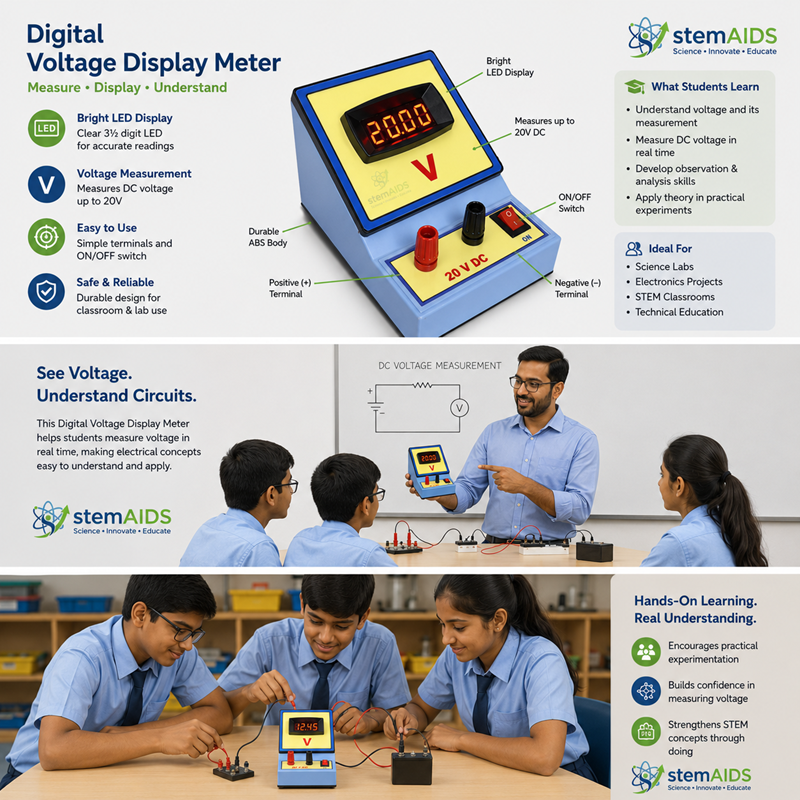
Quick Answer: A Digital Voltage Display Meter is an electrical measuring instrument that shows the voltage across a circuit as a direct numerical readout instead of a pointer moving over a printed scale. LabEquip supplies this meter for laboratory benches, electrical trainer panels and instructional switchboards where a fast, unambiguous voltage reading is needed. Exact voltage range, AC/DC type and display resolution vary by model, so please confirm the specification you need with our sales team before ordering.
Description
The Digital Voltage Display Meter converts the voltage present at its input terminals into a digital numerical readout, removing the need to interpret a needle position against a graduated scale. This is useful in teaching environments where several students may need to read the same value from different angles without the parallax error that affects analogue movements, and in trainer panels where a compact, easy-to-read display is preferred over a traditional dial.
Because this instrument displays voltage only, it should not be confused with an ammeter, which measures current, or an ohmmeter, which measures resistance. LabEquip also supplies combination and multi-function panel meters elsewhere in our Measuring Instruments range for applications that need more than one electrical parameter on a single display. If you are unsure which single-parameter or multi-parameter meter suits your experiment or panel, our sales team can help you confirm the correct choice before you order.
Specifications
| Measurement Type | Digital voltage display (numeric readout) |
| Electrical Quantity Measured | Voltage (V) |
| Input Type (AC/DC) | Model-dependent — confirm with our sales team |
| Voltage Range | Model-dependent — confirm with our sales team |
| Mounting Style | Panel or bench mount — confirm with our sales team |
| Auxiliary Power | Confirm requirement with our sales team |
| Typical Application | Laboratories, electrical trainer panels, instructional switchboards |
| Category | Measuring Instruments, Physics Lab Products |
Care & Maintenance
- Isolate and de-energise the circuit before connecting or disconnecting the meter.
- Do not exceed the rated input range of the specific model you are using.
- Keep the instrument and its terminals clean, dry and free of dust.
- Store in a dry cabinet away from direct sunlight and vibration when not in use.
- Have the meter periodically checked against a reference standard if it is used for calibrated measurement work.
Why Choose LabEquip
Browse our full Measuring Instruments range, explore related Electrical and Electronics equipment, or see our complete Physics Lab Products catalogue.
Frequently Asked Questions
What does a Digital Voltage Display Meter measure?
It measures voltage (potential difference) across the two points it is connected to, and shows the reading as a digital number rather than a pointer on a scale.
Is this meter suitable for AC or DC voltage?
This depends on the specific model, since AC and DC voltage sensing use different internal circuitry. Please confirm the AC/DC type with our sales team before ordering.
Can it be used in an Ohm’s law or basic circuit experiment?
Yes, provided the meter’s input range and connection method suit the circuit being tested. Our sales team can confirm compatibility for your specific experiment.
Does the meter need an external power supply?
Many digital display meters need a separate auxiliary supply to power the display electronics, in addition to the voltage being measured. Confirm the supply requirement for your chosen model with our team.
Can this meter be panel-mounted into an existing trainer or switchboard?
It is designed to be mounted into a compatible panel or trainer chassis where the cutout size and terminal arrangement match. Please confirm mounting dimensions before purchase.
How is this different from the Industrial Digital Ammeter also sold by LabEquip?
This meter is connected across a component to read voltage, while a digital ammeter is wired in series with the circuit to read current. The two instrument types are not interchangeable.
Last Updated: September 2026



