







In Stock
USB 3.0 Key
₹222.00
Quick Answer: A USB 3.0 key is a pocket flash drive that plugs into a computer’s USB-A port and stores files on flash memory. Using the USB 3.0 standard, a USB 3.0 key can copy files faster than a USB 2.0 drive when both the drive and the port support USB 3.0.
What USB 3.0 Changes
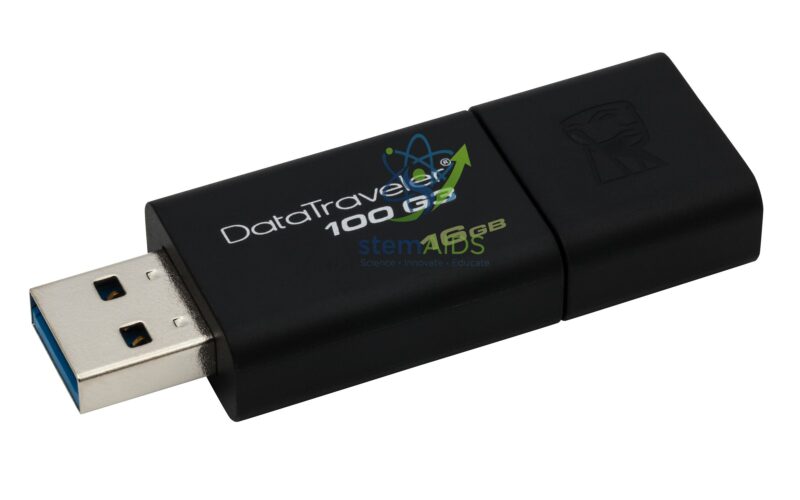
USB 3.0, now also named USB 3.2 Gen 1, raised the interface’s signalling rate to 5 Gbit/s from the 480 Mbit/s of USB 2.0. Real flash-drive speeds are lower, because the memory chips inside set the limit, but large video and project files still move noticeably faster. USB 3.0 plugs and ports are often marked by a blue insert, as on the pictured black drive.
The drive also works in older USB 2.0 ports, at USB 2.0 speed. Capacity is not stated in the title and should be confirmed at enquiry; choose a size that fits the largest files you move, usually video projects.
Key is a common name for a flash drive in several languages, and the item is a standard USB-A flash drive. For moving files to and from phones and tablets, see the dual connector USB key.
Specifications
| Type | USB flash drive (USB key) |
| Interface | USB 3.0 (USB 3.2 Gen 1), USB-A plug |
| Backward use | Works in USB 2.0 ports at USB 2.0 speed |
| Appearance | Black body, blue USB 3.0 insert (as pictured) |
| Capacity | Confirm at enquiry |
Everyday Uses
- Carrying lesson slides and worksheets between classroom computers
- Keeping a second copy of coursework and project drafts
- Moving video files from editing computers to presentation rooms
- Creating installer or recovery drives for school IT technicians
Care & Handling
- Eject the drive before unplugging to avoid corrupting files.
- Keep more than one copy of important work; flash drives can fail or be lost.
- Scan drives before opening files on networked school computers.
- Keep the cap or cover on in bags and pockets to protect the plug.
Why Choose LabEquip
Schools, colleges and offices buy flash drives in quantity for staff and pupils moving files between rooms. LabEquip lists this drive in General Lab Products; tell us the capacity and quantity on the contact page.
Frequently Asked Questions
What is a USB key?
It is another name for a USB flash drive: a small drive that stores files on flash memory and plugs into a USB port.
Will a USB 3.0 key work in a USB 2.0 port?
Yes. It works at USB 2.0 speed in older ports, and at the faster USB 3.0 rate in USB 3.0 ports.
How can I tell a USB 3.0 port?
Many USB 3.0 ports have a blue plastic insert or an SS (SuperSpeed) logo beside them. Ports with a plain USB symbol and a black or white insert are usually USB 2.0.
Why is the copy slower than 5 Gbit/s?
That figure is the interface’s signalling rate. The drive’s memory chips, the file sizes and the computer’s own port and storage all limit the real speed, and copying many small files is slower than one large file.
Can I use the drive on both Windows and Mac computers?
Yes, if it is formatted as exFAT or FAT32, which both can read and write. Copy files off before reformatting a drive.
Is a flash drive a safe place for coursework?
It is convenient but should not be the only copy. Save work to the school network or another drive as well, in case the key is lost or fails.
Last Updated: September 2026
You must be logged in to post a review.
Bestsellers




Reviews
There are no reviews yet.