
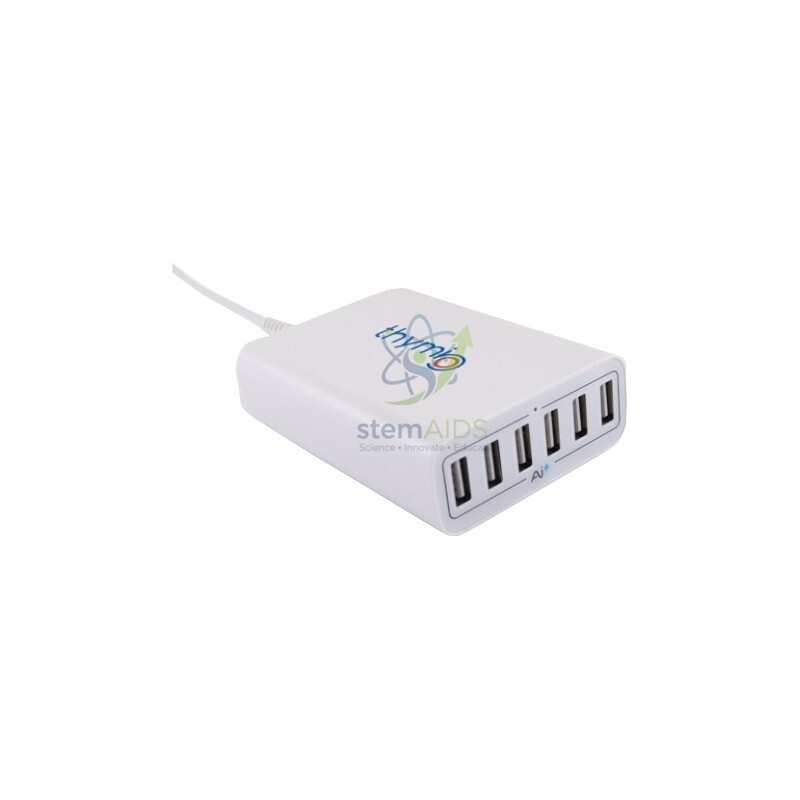
Quick Answer: Thymio Loading Hub is a multi-port USB charging hub that charges several Thymio educational robots at the same time from one mains socket. In the product name, ‘loading’ means charging, so this is a Thymio charging hub for class sets.
Charging a Class Set of Thymio Robots
Each Thymio charges through its own USB socket. With one robot, a computer port or a phone charger is enough; with a whole class set, the teacher’s desk ends up covered in adaptors and extension leads. The Thymio Loading Hub gathers the charging onto one unit, so robots can be plugged in together at the end of a lesson and collected charged at the start of the next.
The word ‘loading’ in the name most likely comes from a translation of the French ‘chargement’, which covers both loading and charging. The hub puts energy into the robots’ batteries; it is not a data hub for programming. Wired Thymio robots still connect to a computer by their own cable for coding, and wireless ones use their radio dongle.
Placing the hub on a shelf or trolley next to where the robots live gives the class a fixed charging station. It then becomes easy to see at a glance which robots are missing or have not been plugged in.
Using the Charging Hub Safely
- Place the hub on a hard, ventilated surface, not on carpet or inside a closed box, while robots charge.
- Use sound USB cables of a sensible length and route them so nobody trips over them or pulls robots off the table.
- Unplug the hub from the mains when the charging session is finished and at the end of term.
- If a cable or port gets hot, stops working or shows damage, stop using it and replace it.
Specifications
| Item | Multi-port USB charging hub for Thymio robots |
| Function | Charging only; programming uses the robot’s own cable or wireless dongle |
| Connection to robots | USB cable to each robot’s charging socket |
| Name note | ‘Loading’ in the title means charging |
| Number of ports | Confirm at enquiry |
Where the Hub Is Used
- End-of-lesson charging of a class set of Thymio robots on one desk or trolley
- Robotics clubs and competitions where robots need a top-up between rounds
- Teacher training sessions that move a set of robots from room to room
Why Choose LabEquip
Charging hubs are mostly bought by schools that already run several Thymio robots and want charging organised in one place. LabEquip lists the hub with the Robot Thymio II and the Wired Thymio 4 case in its General Lab Products range; say how many robots you charge together when you send an enquiry.
Frequently Asked Questions
What does ‘loading’ mean in Thymio Loading Hub?
It means charging. The name appears to be translated from French, where ‘chargement’ covers both loading and charging. The hub supplies power to the robots’ batteries.
Can Thymio robots be programmed through the hub?
Treat it as a charger. Wired Thymio robots are programmed through a USB cable connected directly to a computer, and wireless robots through their radio dongle, so the hub is used between lessons rather than during programming.
How many robots can charge at once?
One robot per port. The port count should be confirmed at enquiry; if your class set is larger than the hub, charge in two rounds or add a second hub.
Is it safe to leave robots charging overnight?
Charge where someone can check the robots, on a hard surface away from paper, and unplug when charging is complete. Avoid leaving lithium-battery devices charging unattended in a locked room over a weekend.
Do I need special cables?
Use USB cables with the connector that fits your Thymio robots, in good condition. Worn or very thin cables can charge slowly or intermittently, which shows up as robots that are still low at the next lesson.
Where should the hub be kept?
Next to where the robots are stored, such as a shelf or trolley near a mains socket. Keeping the hub, robots and cables together means robots are plugged in at the end of each lesson instead of being left flat.
Last Updated: September 2026




Reviews
There are no reviews yet.