
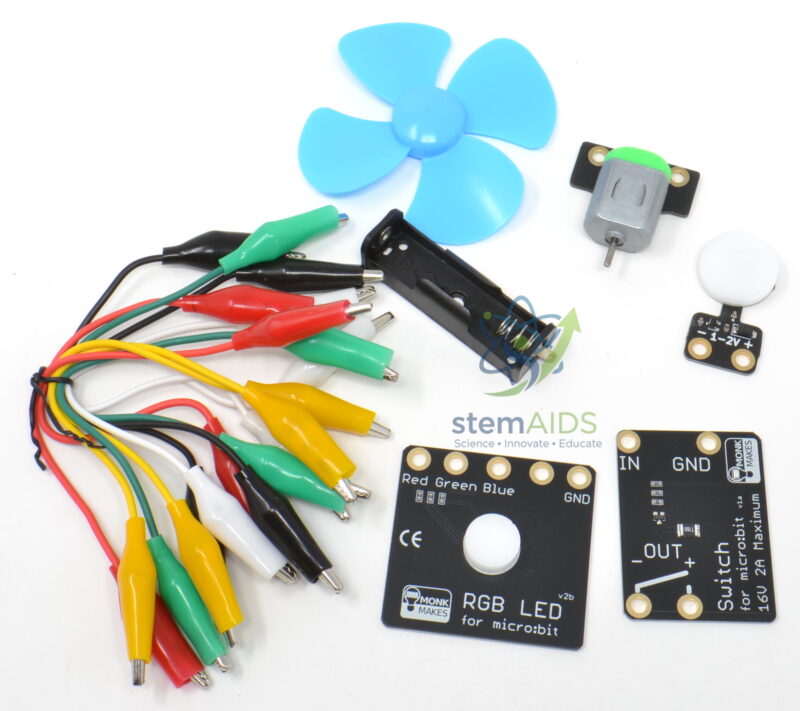
Quick Answer: The Electronic kit for micro:bit V2 is a set of external electronic parts that students connect to a micro:bit V2 to control outputs such as lights or a small fan from code, taking the board beyond its built-in LEDs, buttons and sensors.
Beyond the Built-in Board
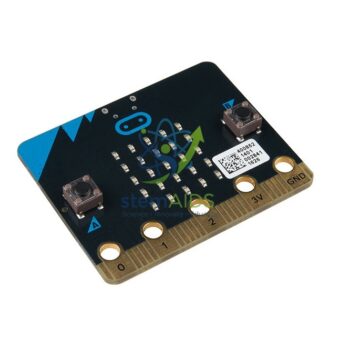
The micro:bit V2 already carries a 5 x 5 LED display, two buttons, a touch-sensitive logo, a microphone, a speaker, an accelerometer, a compass and a temperature sensor. That is plenty for first programs, but real control systems switch things in the world outside the board. The Electronic kit for micro:bit V2 provides that step: external outputs wired to the board’s pins so code can light a lamp, spin a fan or switch a separate circuit.
Pairing the kit with the V2’s own sensors gives quick, satisfying projects. The microphone can start a fan on a clap, the temperature sensor can begin cooling when the room warms, and the touch logo can act as a silent switch. Every project shows the input, process and output model that underpins control technology, and students can draw their system as a flow chart before writing a single block.
Because the kit is listed for the V2 board, lessons can rely on V2-only features such as sound level, the speaker and the touch logo. Connection is normally by crocodile clips to the large edge-connector rings or through an interface board. Kits sold under similar names vary, so the component list and connection method should be confirmed.
Starter Projects
- Clap-controlled fan using the V2 microphone
- Temperature-triggered cooling model using the built-in temperature sensor
- Light shows and colour signals driven from external LEDs
- Silent touch switch using the V2 logo to operate an external lamp
Specifications
| Item | External electronics kit for the BBC micro:bit V2 |
| Board | micro:bit V2, so V2-only features can act as inputs |
| Purpose | Switching external outputs from code |
| Connection | Usually crocodile clips to the large edge-connector rings |
| Programming | MakeCode blocks or Python |
| Component list | Confirm at enquiry |
Care & Handling
- Clip crocodile leads so their jaws cannot touch neighbouring pins; a short between pins can reset the board.
- Disconnect the battery before rearranging a circuit.
- Keep fan blades away from fingers and hair during tests.
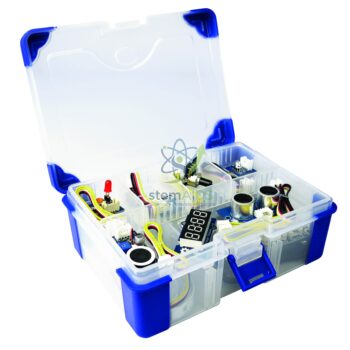
- Sort parts back into their compartments after each lesson so kits stay complete.
Why Choose LabEquip
Schools that have just bought micro:bit V2 boards add this kit when students are ready to control real outputs. LabEquip lists it in the STEM kits range next to the Electronic experimentation kit for micro:bit; send the number of boards and groups on the contact page.
Frequently Asked Questions
Will the Electronic kit for micro:bit V2 work with a V1 board?
Many simple circuits work on both boards, but projects that use the microphone, speaker or touch logo need V2. As the kit is listed for V2, plan lessons around V2 boards.
Why do my crocodile clips cause random behaviour?
A clip touching the narrow strips between the large rings connects extra pins. Clip straight onto a ring, keep the jaws upright and check that no two clips touch.
What is the input, process and output model?
It describes every control system: an input senses something, a process decides what to do and an output acts. A clap heard by the microphone, an if block and a fan starting form a complete example.
Can the micro:bit power a fan directly?
A pin cannot supply the current a motor needs. Kits normally use a driver or relay with its own supply, so the micro:bit only sends the control signal.
What parts come in the kit?
The component list for this kit should be confirmed at enquiry, as kits with similar names differ. It is also worth asking whether batteries and leads are included.
How is this kit different from the experimentation kit?
This kit is listed for micro:bit V2 and suits projects that use V2 features to control outputs. The Electronic experimentation kit is listed for the micro:bit in general, so compare both component lists before choosing.
Last Updated: September 2026





Reviews
There are no reviews yet.