

In Stock
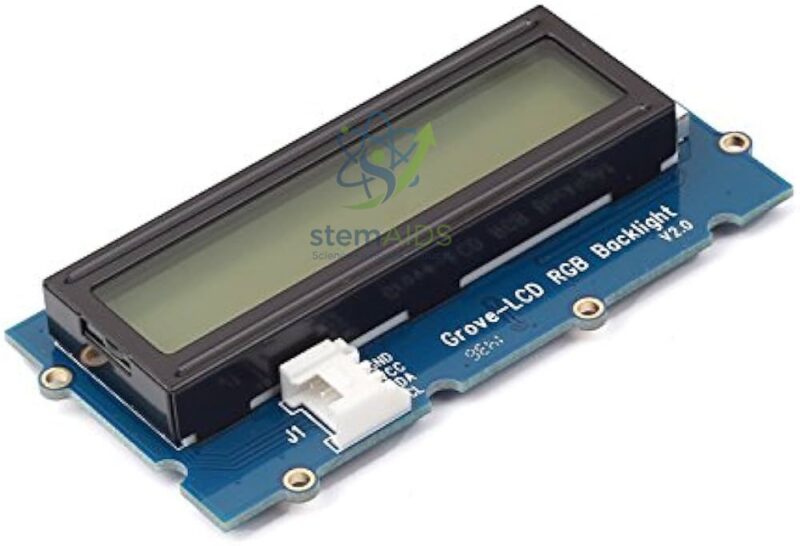
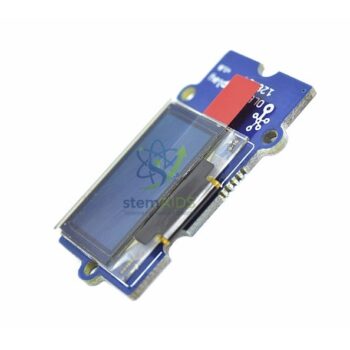
Grove 2 x 16 Characters LCD Display
₹680.00
Quick Answer: The Grove 2 x 16 Characters LCD Display is a character liquid-crystal display with two rows of 16 characters, 32 in total, fitted with a Grove connector. Often called a Grove 16×2 LCD, it lets a microcontroller project show text and numbers such as sensor readings, messages and menu options without a computer attached.
From Serial Monitor to Stand-Alone Display
While a project is plugged into a computer, students read their sensor values on the serial monitor. Once it runs on its own, those values need somewhere to go, and a character LCD is the classic answer. The Grove 2 x 16 Characters LCD Display shows two lines of text, each up to 16 characters, enough for a label and a value on each line, for example ‘Temp 27 C’ above ‘Humidity 61 %’.
Each character position is a small grid of dots, and the display controller has a built-in set of letters, digits and symbols. Students place the cursor by column and row, print text, and clear or overwrite as values change. Laying out 32 characters well is a small design exercise in itself: abbreviations, units and alignment all matter.
Grove character LCDs normally connect through the I2C port, sharing two signal lines with other I2C devices, so the display needs only one Grove cable. Whether this display has a single-colour or colour-changing backlight should be confirmed before ordering.
Specifications
| Display | Character LCD, 2 rows x 16 characters (32 characters) |
| Connection | Grove I2C port on the usual Grove design |
| Content | Letters, digits and symbols from the built-in character set; a few custom characters can usually be defined |
| Programming | Library functions to set the cursor, print and clear |
| Backlight type and supply voltage | Confirm at enquiry |
Care & Handling
- Hold the LCD by its frame, never the glass; pressure on the panel can crack it or leave dark marks.
- Keep the display out of direct sunlight and away from heat sources, which darken or fade the liquid crystal.
- Wipe the screen with a soft dry cloth and avoid solvents.
- Store the display face up in padding so nothing rests on the glass.
Applications
- Live readouts from sensors such as the Grove Temperature and Humidity Sensor
- Timers, stopwatches and countdowns in science practicals
- Simple menus navigated with buttons to choose modes or settings
- Scrolling messages, quizzes and score displays in games
Why Choose LabEquip
Once a class has built working sensor projects, a display is usually the next purchase so projects can run without a laptop. LabEquip lists this LCD in its range of STEM kits; tell us how many project stations you run through the contact page.
Frequently Asked Questions
How many characters can the display show?
Two rows of 16 characters, 32 in total at any one time. Longer messages can be scrolled or split across several screens in code.
Which Grove port does it use?
Grove character LCDs normally use the I2C port. Because I2C devices share the same two signal lines and each has its own address, the display can work alongside other I2C sensors on the same bus.
Can it show graphics or pictures?
No. It is a character display, so it shows letters, numbers and symbols from its character set. A few custom characters can usually be defined for simple icons, but pictures need a graphic display such as an OLED.
Why is the screen lit but blank?
Check that the library matches the display, that the display is initialised in code before printing, and that the I2C cable is firmly seated. Scanning the I2C bus with a short sketch shows whether the controller can see the display.
How do I show a changing sensor value without flicker?
Print the label once, then overwrite only the value’s position, padding it with spaces so leftover digits from a longer number are cleared. Clearing the whole screen on every loop causes visible flicker.
Does it need a computer to work?
Only for uploading the program. After that, the controller and display run from a battery or power supply, which is the point of adding a display to a stand-alone project.
Last Updated: September 2026
You must be logged in to post a review.
Bestsellers


Sale
Sale

Sale


Reviews
There are no reviews yet.