
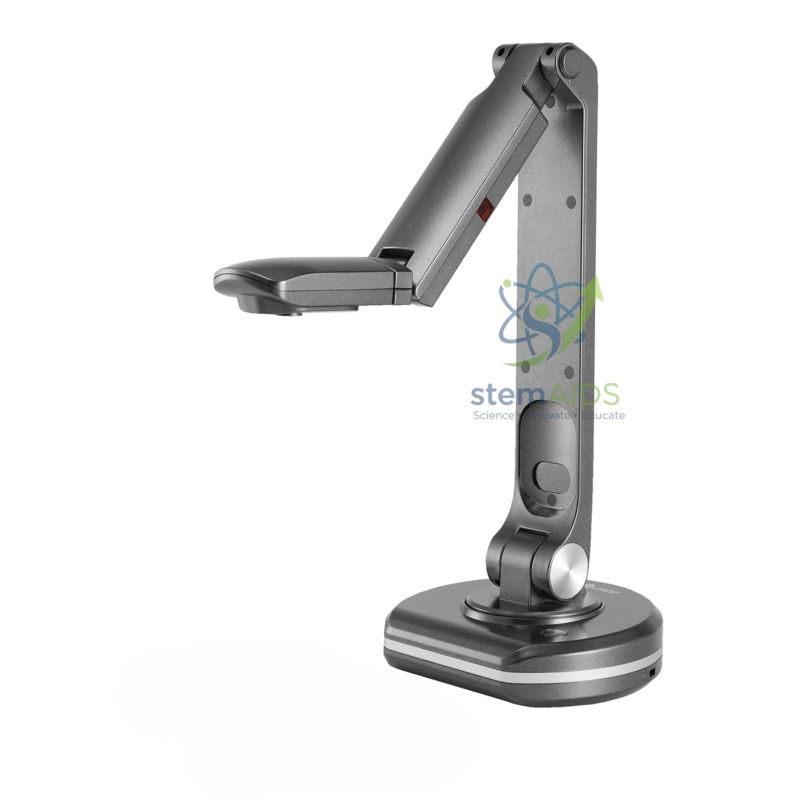
Quick Answer: The Visualizer V500S is a document camera on a jointed arm and round base, used to show handwriting, printed pages and small objects live on a projector or display. The V500S visualizer is listed as a variant of the Visualizer V500, and the listing does not name its brand.
Using the V500S for Maths and Writing Demonstrations
A visualizer is most useful when the class needs to watch a process rather than a finished result. With the camera pointing down at the desk, a maths teacher can draw a perpendicular bisector with compasses and ruler, and every student sees the compass point placed, the arcs drawn and the line joined, enlarged on the screen.
The listing photo shows a grey jointed arm rising from a rounded base, with the camera head on a short horizontal boom. The joints let the head be raised for a full page or lowered for a close view of a single line of working. Whether the S version differs from the V500 in resolution, connection or lighting is not stated, so compare both at the time of order.
Handwriting shows most clearly on matt white paper under even light. Glossy workbooks and laminated sheets reflect lamp light into the lens; tilting the page slightly or switching off the camera’s own lamp, where fitted, removes the glare.
Applications
- Modelling geometric constructions and long division step by step
- Live marking of an anonymised student answer, so the class sees how marks are awarded
- Showing the reading on a measuring instrument, such as a vernier scale, to the whole class
- Language lessons that need a handwritten text displayed as it is written
Care & Handling
- Return the arm to its folded position gently after each lesson rather than pushing it past a joint’s stop.
- Keep liquids and sticky materials away from the base, and use a tray under wet samples.
- Clean the lens with a blower first, then a microfibre cloth, never with paper towels.
- Coil cables loosely and keep them clear of the arm’s hinge points.
Specifications
| Model | V500S (brand not named in listing) |
| Type | Desk visualizer / document camera |
| Arm | Jointed arm on a rounded base (per listing photo) |
| Shows | Documents, handwriting and small 3D objects |
| Differences from V500, outputs and resolution | Confirm at enquiry |
Why Choose LabEquip
Maths and language departments order visualizers like the V500S for rooms where teachers demonstrate written work every day. LabEquip lists it in General Lab Products next to the V500; ask about both models through the contact page if you are equipping several rooms.
Frequently Asked Questions
What is the difference between the V500 and the V500S?
They are listed as two versions of the same visualizer, and the photos show a similar grey jointed arm on different base shapes. The listing does not state what the S changes, so compare the two specification sheets when you enquire.
How do I stop glare on glossy pages?
Tilt the page a few degrees, move the room light or turn off the visualizer’s own lamp if it has one. Glare comes from light reflecting straight back into the lens, so changing the angle between light, page and lens removes it.
Can the V500S show 3D objects as well as paper?
Yes. Raise the camera head and angle it so the object fills the frame. Small solids, coins, leaves or a circuit board can all be shown, and turning the object slowly gives the class a view of every side.
Is handwriting clear enough for the back row?
At normal zoom a page of handwriting is readable on a classroom screen, provided the writing is dark and the paper matt. For fine detail, zoom in on the line being written rather than showing the whole page.
Where should the visualizer sit on the teacher’s desk?
Place it where the teacher can write under the camera without reaching across it, usually on the writing-hand side. Run the cables to the back of the desk so they are not caught by the page or an elbow.
Can I save what the camera shows?
Visualizers commonly capture still images or video, either to a computer through software or to built-in storage. Saving a worked example lets students revisit it later or catch up after an absence.
Last Updated: September 2026




Reviews
There are no reviews yet.