





In Stock
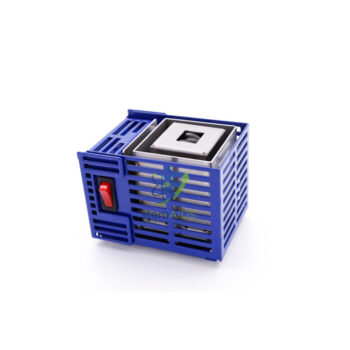
Micro USB Power Supply
Alimentation micro USB Increases hardware duty-cycle longevity in high-rotation vocational environments, ensuring consistent equipment availability for student-led inquiry.
Integrated Short-Circuit & Overload Protection Prioritizes student safety during electronic circuit analysis and sensor-based experimentation, adhering to strict institutional safety protocols.
₹1,320.00
Quick Answer: The Micro USB power supply is a mains adapter whose output ends in a Micro USB plug. It powers or charges small devices with a Micro USB socket, such as wireless sensors, data loggers and interface boxes, from a wall socket instead of a computer’s USB port.
Recognising Micro USB
Micro USB is the small, flat, trapezoid-shaped connector used on many sensors, data loggers and handheld devices made before USB-C became common. It fits only one way up and is easily confused with Mini USB, which is thicker, and with USB-C, which is oval and reversible. Before ordering, look at the socket on the device: a Micro USB plug fits only Micro USB sockets.
Many classroom devices can be powered from a computer, but that ties them to where the computer is and, on a laptop, drains its battery. A mains supply lets a data logger record overnight on a windowsill, keeps a wireless sensor charged in the cupboard, or runs a device at a bench with no computer nearby.
USB power supplies differ mainly in how much current they can deliver. A device that needs more current than the supply provides may charge slowly, reset or refuse to start, so compare the device’s requirement with the supply’s rated output. Where several USB devices must run from one computer at once, the powered USB 3.0 hub is the better route.
Care & Handling
- Insert and remove the Micro USB plug straight, never at an angle, as the small connector bends easily.
- Keep the adapter away from sinks and liquids, and stop using it if the cable is damaged.
- Unplug it from the wall when it will not be used for a long period.
- In shared labs, label each adapter with its device so the right supply stays with each instrument.
Applications
- Powering a data logger for a long recording, such as overnight temperature in a greenhouse or classroom
- Charging wireless sensors between lessons
- Running a Micro USB powered device at a bench without a computer
- Replacing a lost or damaged adapter for existing Micro USB lab equipment
Specifications
| Item | Mains power supply with Micro USB output plug |
| Output connector | Micro USB, as titled |
| Input | Mains socket |
| Typical devices | Sensors, data loggers and interface boxes with Micro USB power sockets |
| Output current and mains plug type | Confirm at enquiry |
Why Choose LabEquip
Labs with sensors and data loggers that use Micro USB sockets buy spare supplies so that equipment can run away from computers and a lost adapter does not stop a practical. It is listed under LabEquip’s chemistry lab equipment; send your device list through the contact page to check the fit.
Frequently Asked Questions
How can I tell Micro USB from USB-C and Mini USB?
Micro USB is thin and trapezoid, wider at the top than the bottom, and fits one way up. USB-C is oval and fits either way up. Mini USB is noticeably thicker than Micro USB. Compare the plug with the device socket before connecting.
Can I use a phone charger instead?
A phone charger with a Micro USB cable may work if it supplies enough current for the device, but chargers vary widely in quality and output. A dedicated supply of known rating avoids resets and slow charging during practicals.
Will this power supply work with USB-C devices?
Not directly, because the plug does not fit a USB-C socket. Adapters exist, but a USB-C supply is the better match for USB-C devices because the connection is more secure.
Why does my data logger reset when powered from a laptop?
Laptop ports may cut power when the laptop sleeps or when a port is overloaded. A mains power supply keeps the logger powered independently, which is why it is preferred for long recordings.
Is it safe to leave the supply plugged in overnight?
Mains adapters are commonly left running for long recordings. Place it on a non-flammable surface away from water and paper, and do not cover it, since adapters warm up during use.
Which output current do I need?
Check the device label or manual for its current requirement and choose a supply that meets or exceeds it. When you enquire, name the device the supply will power so that the rating can be matched.
Last Updated: September 2026
You must be logged in to post a review.
Bestsellers








Reviews
There are no reviews yet.