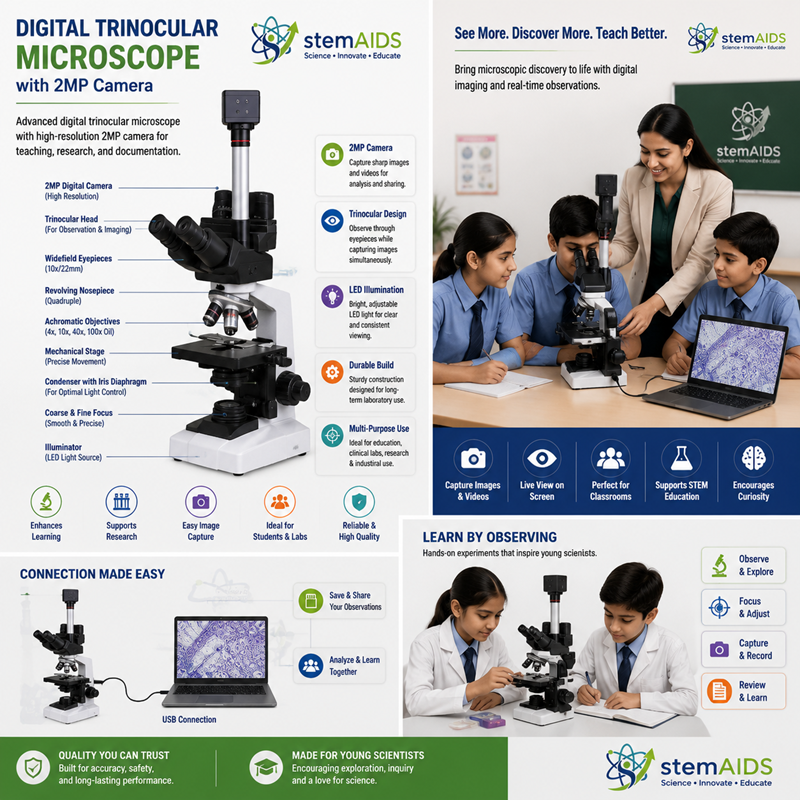
Quick Answer: The Digital Trinocular Microscope with 2MP Camera is a slide microscope with two eyepieces and a third port carrying a 2-megapixel camera, so a slide can be examined through the eyepieces while its image is shown on a screen or saved. The digital trinocular microscope suits teaching demonstrations and routine image records.
Eyepieces and Camera Together
A trinocular head divides light between the two eyepieces and a third, vertical port. Putting the camera on that port, rather than in place of an eyepiece, means the user keeps normal binocular viewing while the camera records. The teacher focuses by eye and the class watches the same field on a projector; in a college lab, students capture images for reports without disturbing the set-up.
Two megapixels is a modest resolution by camera standards, roughly the size of a full-HD video frame. That is enough for live projection, screen demonstrations and images of stained sections for worksheets and reports. Publication-quality micrographs, very large prints or heavy cropping into a small area call for a higher-resolution camera.
The listing does not state the objectives, the illumination, the camera connection or the software supplied, which decide how images reach your computer or display. LabEquip also lists a basic trinocular research microscope, and an eyepiece camera is another way to add imaging to microscopes you already own.
Specifications
| Instrument | Trinocular microscope with digital camera |
| Head | Two eyepieces plus a camera port |
| Camera | 2 MP, as named in the title |
| Typical use | Class demonstration, image records, reports |
| Objectives, illumination and camera connection | Confirm at enquiry |
Care & Handling
- Keep the camera attached, or the port capped, so dust cannot fall into the head of the digital trinocular microscope.
- Set white balance in the software on a blank, lit field before capturing coloured stains.
- Unplug the camera cable before moving the microscope, and carry it by the arm and base.
- Clean eyepieces and objectives with lens tissue and cleaner, and never touch the camera sensor.
Applications
- Projecting a stained blood smear or tissue section for a whole class to follow
- Capturing images of students’ own preparations for practical records
- Showing live microorganisms on screen during microbiology lessons
- Preparing labelled micrographs for worksheets and assessment
Why Choose LabEquip
Teachers who demonstrate microscopy to large classes and labs that need simple image records choose a trinocular model with a camera. LabEquip lists it in the Microscope & Optics range; ask about objectives and computer compatibility through the contact page.
Frequently Asked Questions
Is a 2MP camera good enough for teaching?
For live projection and screen viewing, yes. A 2-megapixel image is about the size of a full-HD frame, which fills a classroom projector well. High-resolution publication images or large prints need a camera with more pixels.
Why are the eyepiece view and the camera image not sharp at the same time?
The eyepieces and the camera port need to be parfocal, meaning both are sharp at the same focus setting. Focus through the eyepieces first, then adjust the camera adapter or the eyepiece dioptre rings until both match.
How does light reach the camera port?
Many trinocular heads have a lever or pull rod that sends light either all to the eyepieces or partly to the camera port. If the screen stays dark while the eyepieces are bright, check for such a lever on the head.
Why do stained slides look the wrong colour on screen?
The camera’s white balance has not been matched to the lamp. Move to a clear area of the slide, set white balance in the software, then return to the specimen. Setting the lamp brightness first also helps.
Can the camera be used to measure specimens?
If the software includes measurement tools, calibrate each objective by capturing a stage micrometer and setting the scale. The measurements then hold for that objective and camera setting only.
What computer does the camera need?
That depends on the camera’s connection and software, which the listing does not specify. When you enquire, tell us your operating system and whether a laptop, desktop or display will be used.
Last Updated: September 2026